What the tablet has to be able to do
The requirements are modest. It has to run a current web browser, stay awake for a whole service, stay on charge, and be readable from the distance the kitchen will stand at.
Condition matters more than age. An older tablet that holds Wi-Fi and charges is a fine kitchen board; a newer one with a swollen battery is not. Screen size is a reading-distance question — a compact tablet reads at arm's length, and if the board sits across the pass, bigger is better.
What it does not need is power. A kitchen board redraws a few times a minute; anything that can play video is overqualified. Storage, cameras and mobile data plans are all irrelevant to the job.
Mounting it where it survives
The kitchen is the worst room in the building for electronics. Heat from the grill, steam from the dishwasher and grease in the air will find a consumer tablet eventually; the job is to slow that down and to make replacement cheap when it arrives.
Mount behind the pass or on a wall away from direct heat, at eye level for the person who reads it, angled so it does not catch the window glare. A wall arm or a sturdy stand beats leaning it against a jar — kitchens bump things.
A case that covers the edges and can be wiped clean is worth more than any specification on the box. And whatever you choose, keep the mount standard enough that the next tablet fits it; the bracket should outlive two or three screens.
Keeping the screen awake and charged
A board that has gone to sleep is a board nobody is reading. In the tablet's display settings, set sleep or auto-lock to never, or to the longest option offered; if the device has a single-app or kiosk mode, that usually keeps the display on as well.
Keep it on permanent charge from a socket that is not switched off at night, and check the cable's reach before mounting, not after. A charge routine that depends on someone remembering is not a routine.
Brightness wants turning up, not down. A kitchen is a bright room, and a dimmed board reads as broken from two metres. If the tablet has a setting to stay awake while charging, use it; that combination is exactly what a kitchen board needs.
Locking it to one thing
A tablet that is also somebody's break-time browser will eventually show something else during service. Both major tablet families have a way to pin one app or one page to the foreground — often called guided access or screen pinning — and setting it up takes about a minute. Look for those names in the device's own settings or accessibility menu.
Whatever the device calls it, the recipe is the same: turn on the single-app restriction, switch notifications off, and sign the tablet into nothing but the kitchen screen. The kitchen does not need the tablet's other features, and the other features do not need the kitchen's grease.
If the locking options feel heavy, the minimum still helps: a dedicated user account with nothing else signed in, and a browser set to open the board on launch. Imperfect, but better than a shared device that answers messages.
Wi-Fi that reaches the kitchen
Kitchens are bad radio rooms. Metal fridges, extractors and tiled walls reflect and absorb the signal, and the spot you want to mount the board is often the worst-served corner of the building.
The only test that matters is the one at the mounting spot: hold a phone exactly there and watch the Wi-Fi symbol while a page loads. A strong signal at the till says nothing about the signal above the dishwasher.
A board that loses the network should say so visibly and reconnect by itself — worth checking before you rely on it, because the alternative is a screen quietly showing a stale board through a whole service. If the signal at the pass is poor, an extender placed part-way solves more kitchen problems than a new tablet would.
Running it next to a printer
Screen and paper are not rivals. A common shape is a screen as the main board and one thermal printer for a section where a screen would not last, or for the staff who trust paper — the glossary entry on kitchen display systems compares the two honestly.
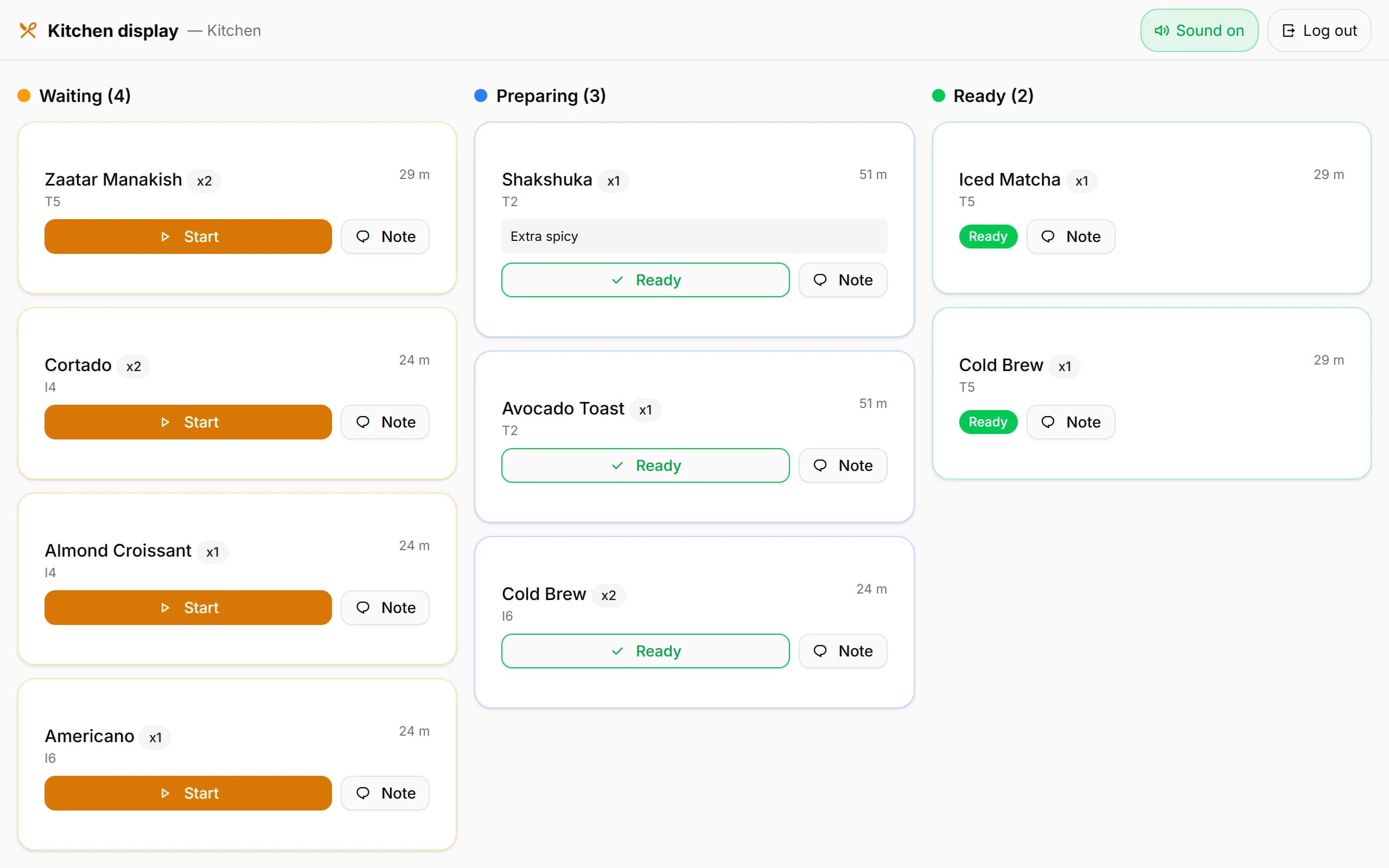
Kafe360's kitchen screen is a web page in exactly this mould: it opens in any tablet's browser with its own kitchen username and password, an optional network thermal printer is driven by a small bridge program on a Windows PC in the venue, and it needs the internet — it does not run offline.
When the screen or the connection fails
Have the answer ready before it is needed:
- A second device that can sign in as the kitchen — an old phone in a drawer qualifies.
- A pad of tickets and a pen at the pass for a total outage, with a reconciliation into the system afterwards.
- Knowledge of the board's own recovery habit — does it catch up on what it missed, or does someone have to reload it? Learn which before service, not during.
A tablet that dies is a cheap loss, and that is the quiet advantage of ordinary hardware: the replacement is whatever is in the drawer, signed in before the next rush. A specialist screen would be missed for exactly as long — and cost more to replace.