What a kitchen display system actually does
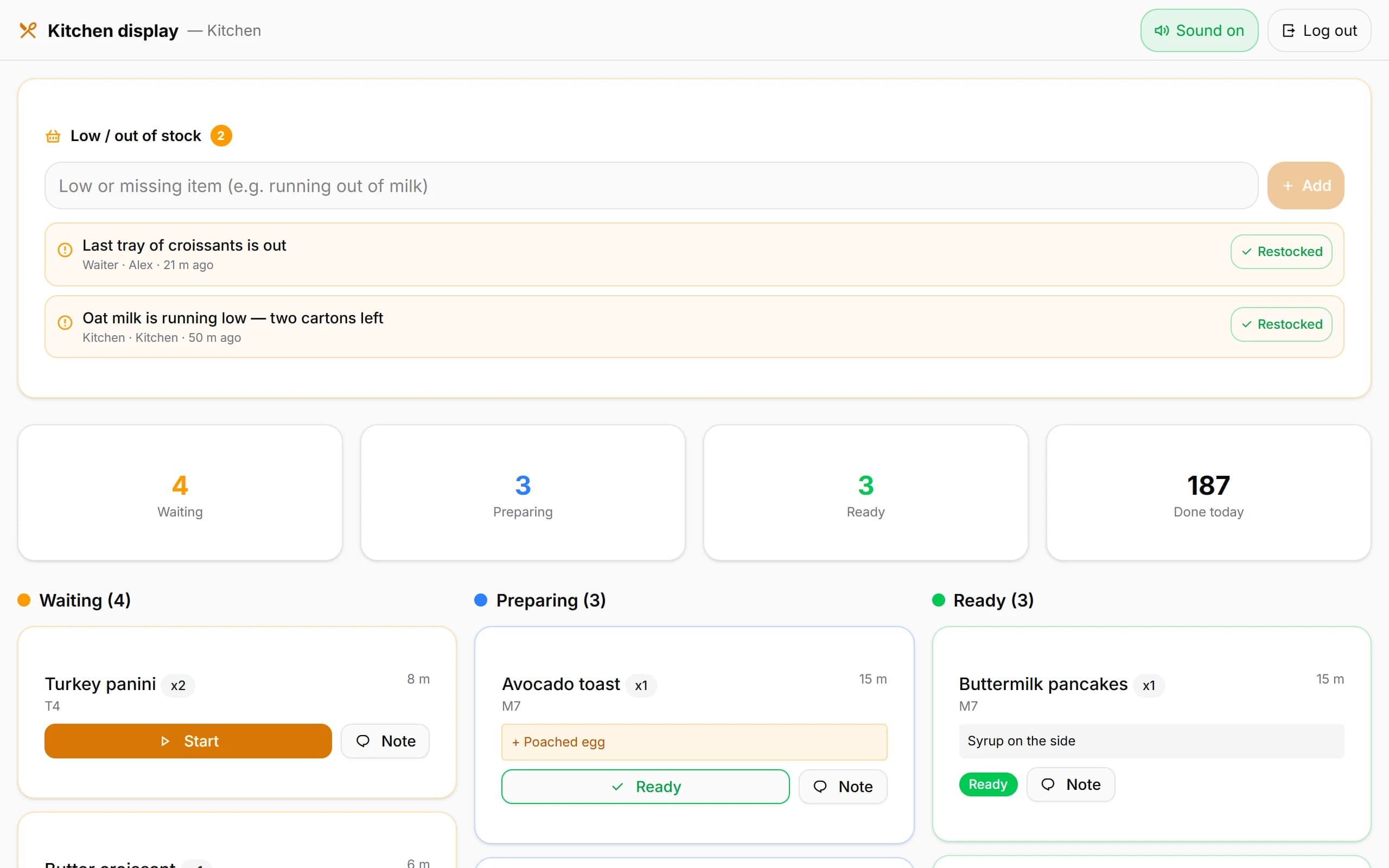
A kitchen display system, usually shortened to KDS, is the kitchen's half of the ordering chain. When a waiter takes an order — at a terminal, on a phone, or from a table's QR code — the items appear on a screen at the pass, grouped the way the kitchen works: by table, by order, or by course.
The screen is two-way. Cooks mark items as they start and finish them, and that state travels back: a waiter can see that table six's mains are underway without walking over to ask. When everything on a ticket is served, the ticket leaves the board.
Beyond the basics, systems differ. Some colour-code tickets by waiting time, keep a running count of the day's items, or split the board across stations. None of that is essential. The core job is that the order arrives, is seen, and is marked off.
Kitchen screen or kitchen printer
Most kitchens that take orders digitally choose between a screen and a thermal printer, and plenty run both. The comparison is not about which wins; it is about which failure you would rather explain at 12:40 on a Saturday.
| Screen (KDS) | Ticket printer | |
|---|---|---|
| Cost to start | A screen you may already own, with browser-based systems | A thermal printer, plus rolls of paper for as long as it runs |
| Readability | Fixed type size; the whole board reads the same way | Print fades with the print head and the paper; small type stays small |
| When it fails | Shows the last thing it received; new orders wait for the connection | Prints whatever arrived before it failed; a jam needs two hands |
| Changes and voids | The board updates the moment the order changes | A correction prints a new ticket and leaves the old one to be ignored |
| Paper | None | Ongoing rolls, and the pile behind the pass |
| Sequence | Sorted by time, and re-sorted by the system | The pile — and piles get shuffled |
Wet and greasy sections treat both alike. Paper survives a splash better than electronics, which is one reason kitchens keep a printer on the grill side.
Where the screen belongs
Placement decides more than the hardware does. The screen has to be readable by the person whose hands are busiest, from where they actually stand — not from where the cable happened to reach. Eye level matters as much as distance: a board above head height gets read in glances and misread under pressure.
Heat, steam and grease are the three enemies. A consumer screen mounted over the grill or beside the dishwasher's outlet will not last, whatever its specification says on paper. Behind the pass, on a wall away from direct heat, or in a wipe-clean case near the coffee station all age better.
Can an ordinary tablet do the job
Often, yes. Browser-based systems run on whatever device can open their address, so an older tablet nobody uses becomes the kitchen board. What matters is whether the kitchen can read it from where they work, whether it stays awake through a service, and whether it survives the room.
Specialist kitchen screens exist for a reason: brighter panels, sealed cases, and bump bars for clearing tickets without touching glass. In a dry, temperate and careful kitchen, an ordinary tablet does the same core job for a fraction of the outlay. The guide to that route — mounting, power, locking — is our page on using a tablet as a kitchen display.
Kafe360's kitchen display is one of the browser-based kind: it opens on any tablet or computer screen, the kitchen signs in with a username and password of its own, and a network thermal printer can still be driven through a small bridge program on a Windows PC in the venue for the sections that want paper.
What happens when the internet drops
This question separates systems more than any feature list does. A display that reads from a computer on your own network keeps working when the outside line dies. A cloud-based one stops receiving new orders until the line returns, and shows whatever arrived last.
Neither behaviour is a secret, and neither is universally better. What matters is that you know which one you have, and that the kitchen has an answer for the ten minutes it matters — a pad of tickets by the pass is the ordinary one.
Worth saying plainly: browser-based systems connected to a cloud service do not work offline. If your connection drops often enough to shape service, that is a fact to weigh before choosing, not after.
Does a small café need one
Not automatically. A one-group espresso bar where the owner takes every order verbally needs no display at all; the printer, or a shouted order, is genuinely enough.
The case for a screen builds with distance and volume: when the person making the food cannot see or hear the person taking the order, something has to carry the order between them. Paper carries it fine at low volume. The failure modes of paper — handwriting nobody can query, lost tickets, a pile that gets shuffled — start costing more as orders per hour rise.
A reasonable sequence: paper while you are small, a printer once the same handwriting is questioned twice a week, a screen when tickets arrive faster than they can be read aloud and the kitchen stops guessing what comes next.
What to check before choosing
Before committing to any system, the same short list answers most of it:
- How orders reach the screen — automatically when sent, or only when someone pushes them.
- What marking off looks like — one tap per stage, or a menu to navigate with wet hands.
- Whether it runs on a screen you already own, or requires hardware from the vendor.
- What it does when the connection drops, and what it shows afterwards.
- Whether corrections, voids and order notes reach the board, or only the happy path does.
- What it costs to keep running, per month or per year, once any trial ends.