Settling up with your guests
Six people, one table, one bill, no arithmetic on a napkin
Every table carries one open bill. Split it by item or by amount, take cash or card, and when the payments cover the total the bill closes itself and the table goes back to free.
We do not take the guest’s money. You do.
Kafe360 is not a payment processor and there is no card reader in this. Cash goes in your drawer and cards go through the terminal you already have. What Kafe360 does is keep the bill — which lines are paid, who paid what, how much is still due, whether it was cash or card — and close the table when the numbers add up.
That distinction decides what the rest of this page is about, so it is worth reading before the features.
Splitting
Two ways, because tables split two ways
Some groups pay for what they ate. Some just throw notes at the middle of the table. Both end up on the same bill, and the bill keeps track either way.
In the panel — Pay selected
Split it by item
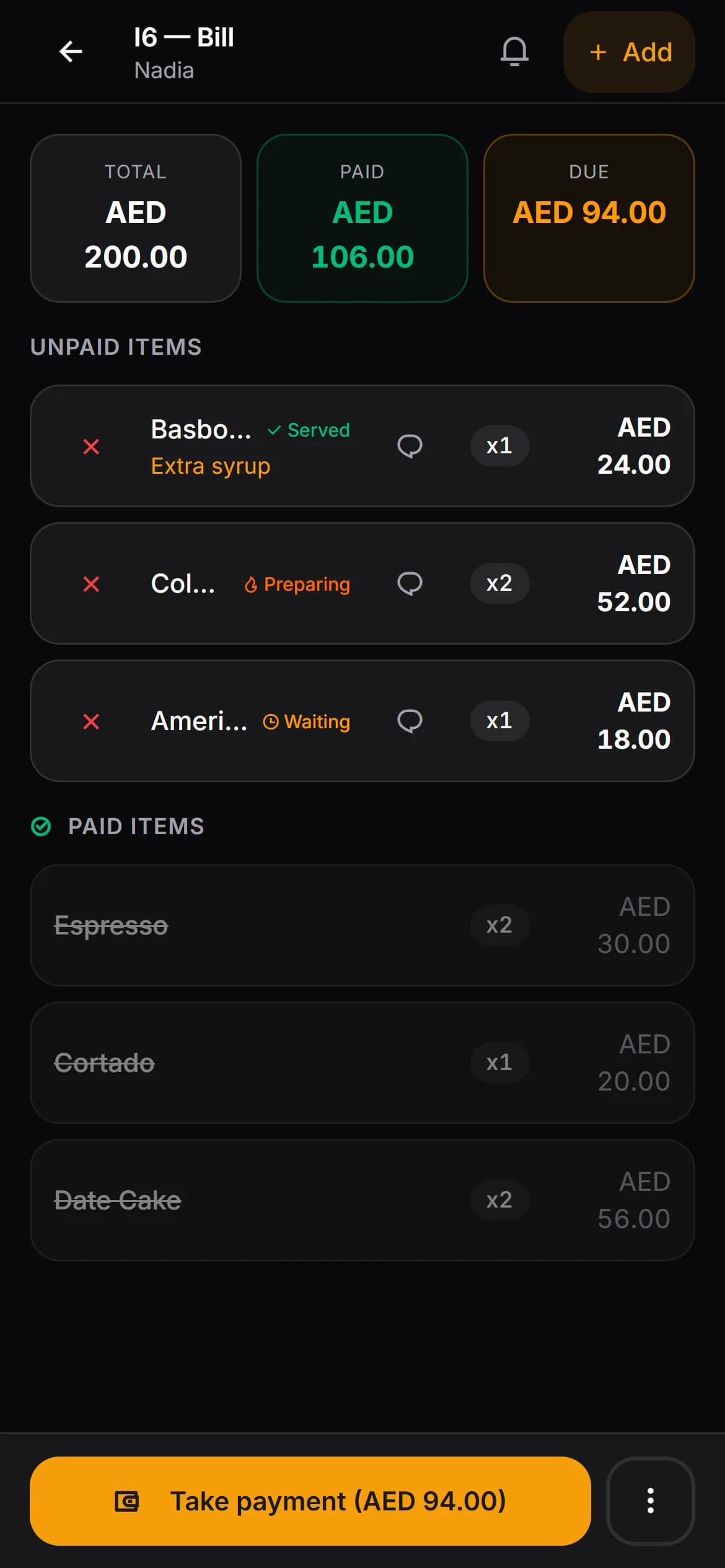
Tick the two coffees and the cheesecake. The panel adds them up, takes that payment and marks those lines paid. Everything left stays on the bill for the next person, who does the same thing.
Till screen
In the panel — Pay by amount
Split it by amount
Somebody puts in 200. Type it, take it, and the bill shows what is still due. Half of the remainder is one tap away, and the whole remainder is another.
Waiter’s phone and the till screen
Cash or card
Two buttons. Pick one, and the day’s totals know which it was.
Change, worked out
Type what the guest handed over and the screen does the subtraction.
Payment history
Every payment on a bill, in order, with the amount and who took it.
Tables
Guests move. The bill goes with them.
Move a table
The guests want to sit outside. Pick the free table and the whole open order goes with them — the old table empties, the new one fills. Only free tables are offered, so nothing gets written over.
Merge two tables
Two tables became one group. Merge them and every item moves onto the main bill, the totals are recalculated, the second table empties. No retyping the order.
Both leave a record
Every move and every merge is written down with the tables involved, the order and the member of staff who did it. Not for the guest — for the conversation you have afterwards.
Corrections
Things go wrong on a busy night. They should leave a trace.
Voids and discounts are where money quietly leaves a café. Nothing here stops a member of staff doing either — it just makes both visible afterwards.
Cancelling a line, with a reason
Ask for a reason when an item comes off. The totals redo themselves. If it was the last item on the bill, the order closes and the table frees itself instead of sitting open all night.
Changing a price, on the record
A price can be overridden on a line. It is logged with the list price, the old price, the new one and the name of whoever changed it — and there is a Price Overrides report in the panel, by date range.
Paid is paid
Once a line has been paid it cannot be cancelled and its price cannot be edited. The audit trail is not something staff can tidy up after themselves.
Waiters need not handle money
Taking payment is a permission. Turn it off and waiters open and build bills while settling up happens at the till, on the manager’s screen.
End of service
Cash on one side, card on the other
Counting the drawer is only useful if you know what should be in it. Because every payment recorded its method, the split is already there — for today, for an hour of today, and on the Z-report you generate at close.
If you trade past midnight, set the hour your business day rolls over. Sales taken at 01.30 then count towards the night they belong to, in the dashboard and the reports alike.
Try it free for 30 days- Today’s takings, split into cash and card
- The same split hour by hour, so you can see the rush
- A Z-report per day — revenue, order count, cancellations and what they were worth
- Per-waiter totals over any date range
- A Price Overrides report, by date range
- Everything in your venue’s currency — AED for a UAE account
Questions people actually ask
- Does Kafe360 process the card payment?
- No, and this is the part worth being clear about. We are not a payment processor and we never touch the guest’s card. You take the money the way you already do — cash in the drawer, card on your own terminal — and record which it was. Kafe360 keeps the bill, the split and the totals straight.
- How does the bill know it is finished?
- It adds up. When the payments cover the total, the order closes itself, any remaining lines are marked paid and the table goes back to free. Nobody has to remember a closing step.
- Can I take half now and half later?
- Yes. Part-payment is normal here — take 200 of a 320 bill and the remaining 120 stays on the table, visible as Due, until somebody settles it. You can mix the two ways, too: pay some lines off, then pay an amount against what is left.
- Does it work out the change for cash?
- Yes. Enter what the guest handed over and the screen shows the change before you open the drawer.
- Which currency does it use?
- Your venue’s. A UAE account runs in dirhams, so menu prices, bills, payments and reports are all in AED with the local number and date formats.
- How do I reconcile at the end of the night?
- The day’s takings are broken down into cash and card — on the dashboard, hour by hour, and on the Z-report, which can be generated once per day. If you close after midnight, set your business day to roll over at 05.00 or 06.00 and the late sales count towards the right day.
The test is a table of six on a Friday
Open an account, put one real table through it, and split the bill the awkward way. That tells you more than any list of features.