The flow, from sign-in to bill
Strip away the branding and the flow is the same everywhere; what changes between systems is how each step feels. In order:
- 1The manager creates the waiter once — a name and a private PIN, issued like a key.
- 2The waiter opens the venue's ordering address in the phone's browser and types the PIN. Nothing is installed; it is a page, not an app.
- 3The screen shows a short approval code, and the manager okays the device — a PIN alone is never enough on a screen nobody has approved.
- 4The floor comes up first: tables grouped by area, each showing its state and, when open, what it still owes.
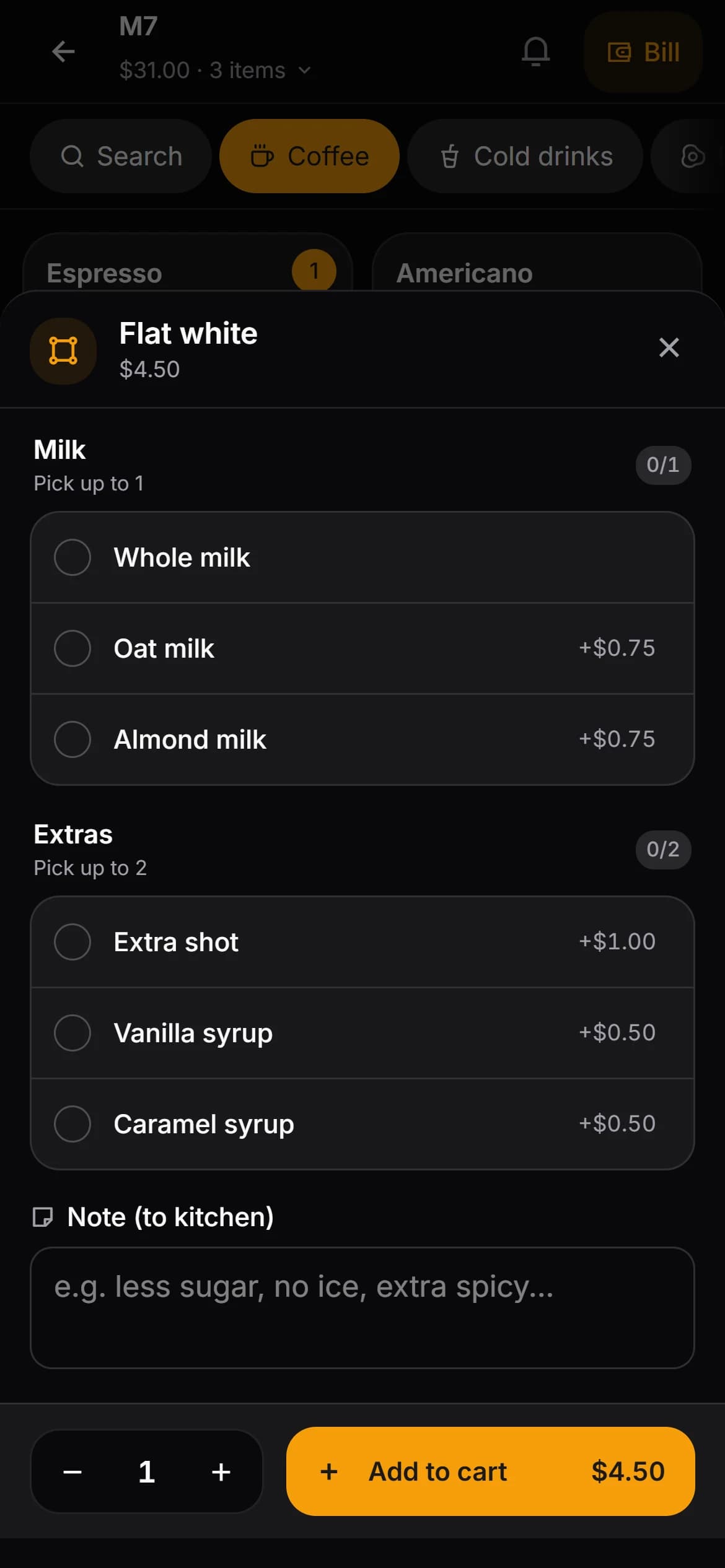
- 5Tapping a table opens the menu grid; items go in with their options — milk, size, shots — and a note where the kitchen needs one.
- 6Send. The kitchen sees the order the moment the waiter's thumb leaves the screen; nobody walks anything anywhere.
- 7When the kitchen marks an item ready, the notice lands on the phone of the waiter who took it; the waiter marks it delivered.
- 8The bill is the same phone: split the items or the amount, take the payment, and move or merge the table without going back to a counter.
What ordering at the table changes
The change is geometric, not gadget-shaped. In a terminal room, a waiter carrying five heads' worth of orders queues at the till, retypes them, and walks back to a table that has been waiting since before the queue formed. At-the-table ordering removes the middle third of that journey: the order is entered once, where it was spoken.
The kitchen benefits as much as the floor. An order sent from the table arrives while the guests are still settling in, instead of arriving twenty minutes later in a batch with three other tables attached. And the bill stops being somewhere the waiter has to go — it is a state of the table, readable and chargeable from anywhere.
The honest side of personal phones
Personal devices are the real cost of this pattern, and pretending otherwise is how venues end up back at terminals. The problems are real and each has an ordinary answer:
- Battery — a shift of constant ordering empties a phone. A multi-slot charger by the till, used at shift start, is the whole fix.
- Personal notifications — the same glass carries the waiter's messages. A browser rather than an installed app keeps work further from the notification pile, but focus modes and house rules do the rest.
- Data allowance — ordering screens are text and small images, light next to anything with video in it. Staff on tight allowances still deserve the question being asked out loud.
- Phones that are old, shared or absent — a policy question before it is a technical one. A work device, or a shared unit at the counter, answers it.
- Privacy — some staff will not use a personal phone for employer software, and that is a legitimate line rather than an objection to overcome. Have the alternative ready before the first shift, not after the first refusal.
When staff leave
Access is the part to get right on day one, not on the day someone leaves. The sign-in is a person: the record of who took an order, who cancelled an item and who took a payment is only as good as the promise that one PIN means one human. Shared PINs break that promise, whoever's system is underneath.
In Kafe360 this is deliberately short — a waiter signs in with a PIN in the phone's browser, a manager approves the device, a second sign-in on another phone ends the first, and ending the session or changing the PIN from the staff page closes that phone's access at once.
The routine that survives contact with reality: when someone leaves, end their session and change their PIN the same day, and treat the old PIN as public knowledge from that moment.
Getting through the busy hour
The busy hour is when the taps matter and the habits pay. A few carry most of it:
- Learn the grid rather than the search — the category strip and a grid beat typing under pressure.
- Fire each round the moment it is complete; a basket held in a pocket is a memory test.
- Let the assigned section open first where the system supports areas, so the waiter's own tables are one glance away.
- Keep bill work for the gaps rather than the rush — batching the collections into the quiet ten minutes keeps the floor moving.
- Start the shift at the charging rack, not at the coffee machine.