The terminal is already in their pocket
Your waiters open a browser, put in a PIN you approve, and take the order standing at the table. It reaches the kitchen before they have walked back across the room.
No card to start. Nothing to install on any phone.
Three screens, and that is the whole app
A waiter should be able to learn this between the lunch and dinner service, not on a training day.
The floor
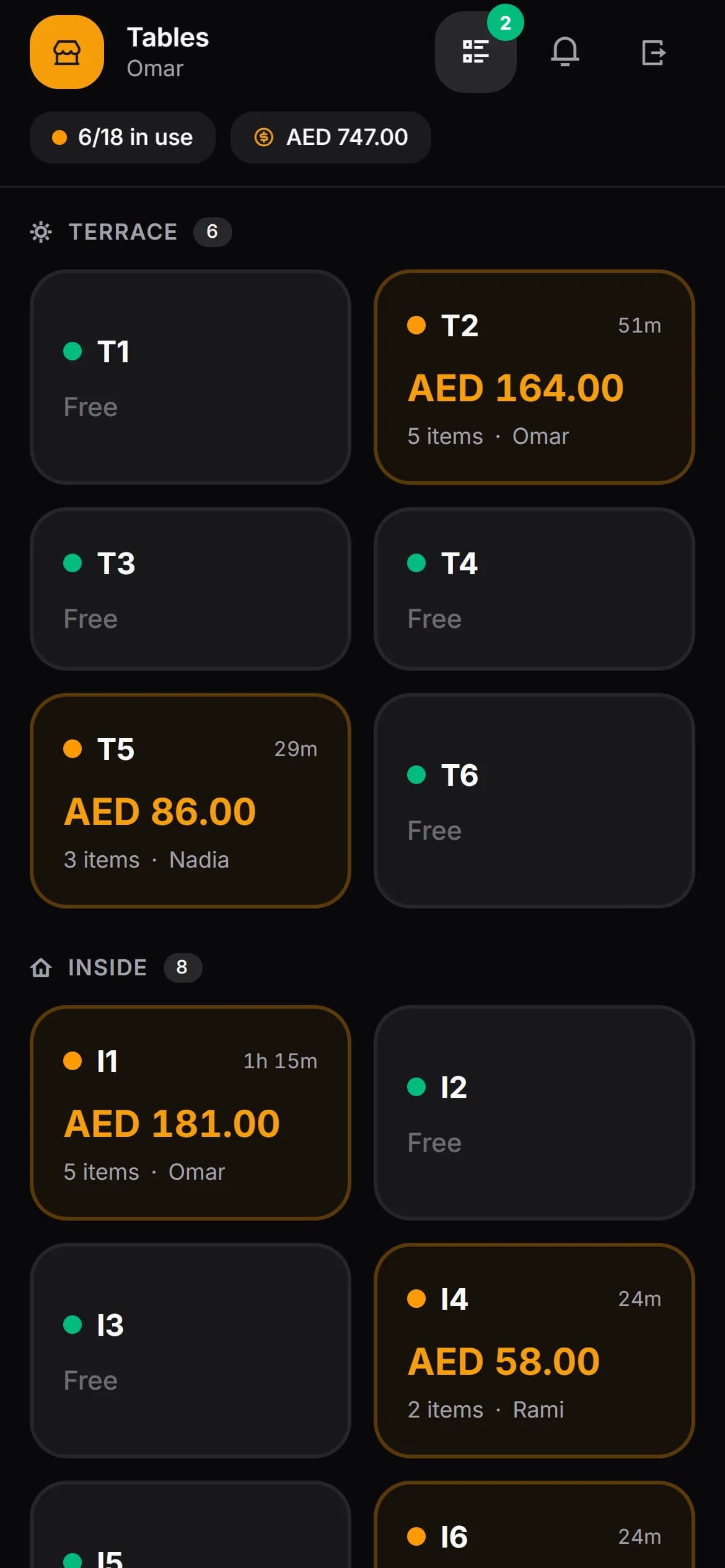
Which tables are busy, and for how long
Tables grouped by area, each showing how long it has been open and what is on it so far. A waiter who only works the terrace can be given only the terrace.
The order
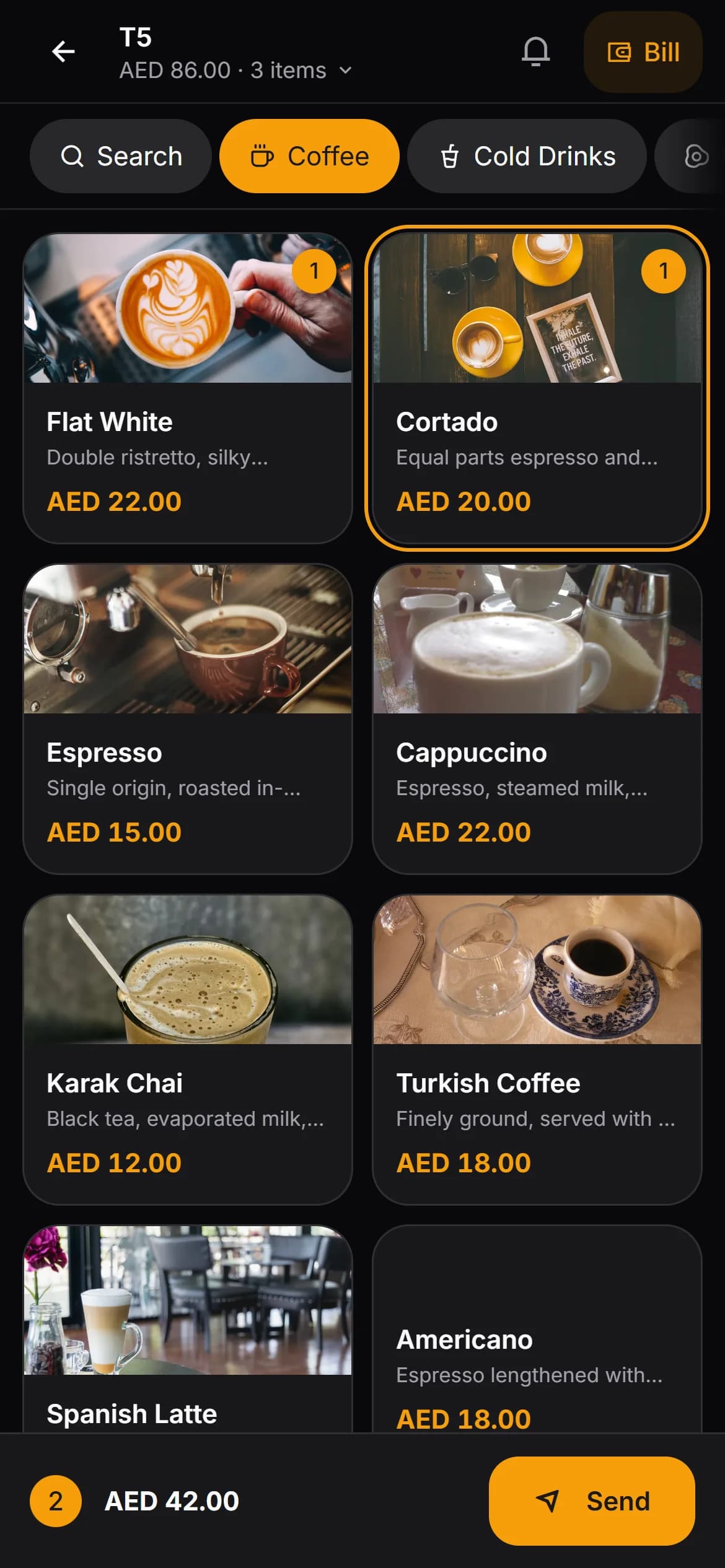
Taken at the table, not remembered to the till
Categories across the top, items underneath, a running basket at the bottom. Options like size or milk, quick notes you set up in advance, and free text for the rest.
The bill
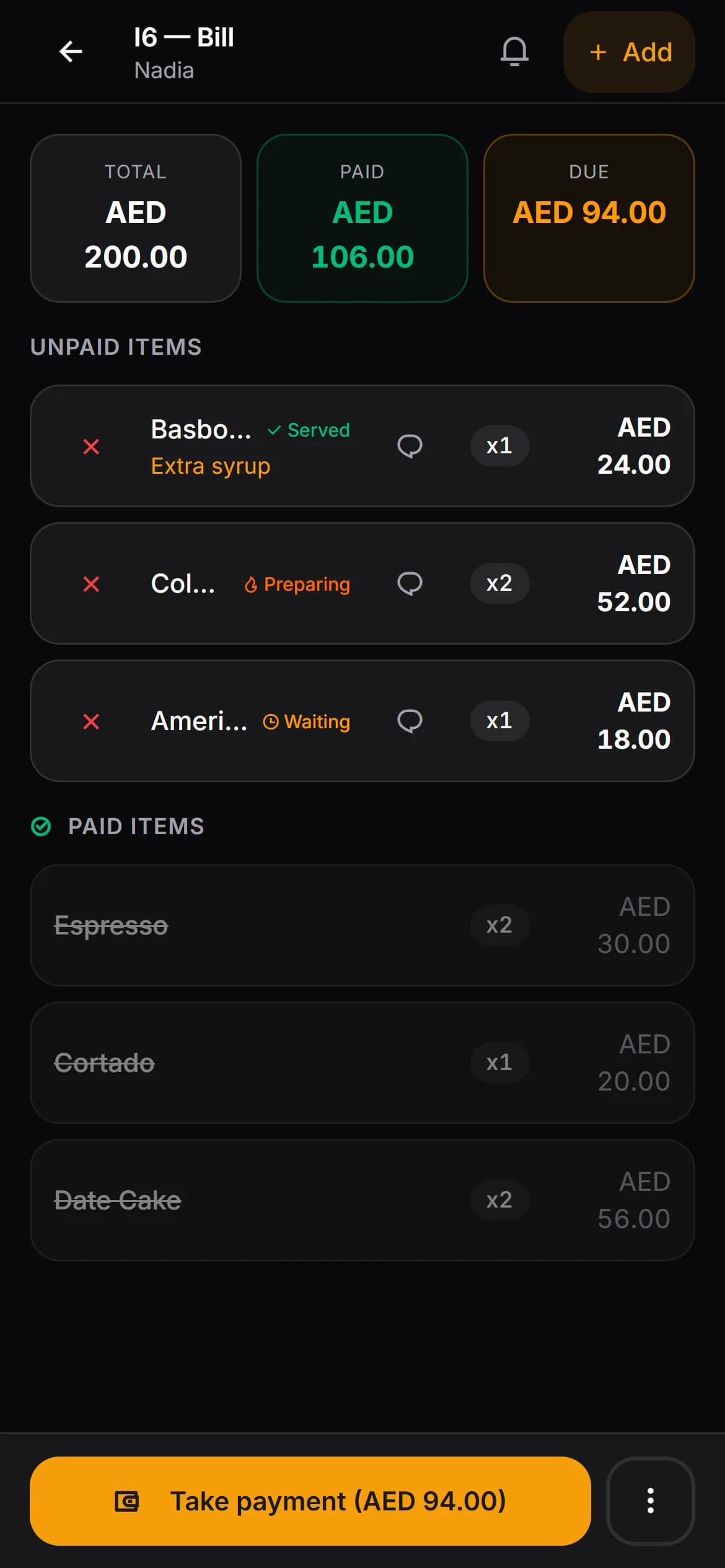
Split it however the table wants to split it
Tick the items one guest is paying for, or take a part-payment by amount. Cash, card or the guest’s house account. The order closes itself when nothing is left.
Signing in
The part most systems wave through
A till that anyone can open is a till anyone can empty. Every shift here starts with a sign-in somebody senior agreed to, and ends when you say it does.
A six-digit PIN, not a password
Nobody has to remember an email address at the start of a shift. PINs are hashed, and the panel never shows them back to anyone.
You approve every sign-in
A PIN alone does not get anyone in. The request lands on the manager’s screen instantly; you approve or refuse, and only then does the waiter get a code to finish signing in.
Guessing gets you nowhere
Wrong PINs are counted and the account locks itself for a while. Trying PINs until one works is not a viable afternoon.
End a session from your desk
Every open session is listed with who, when and on what device. Tap to end one and that phone is signed out immediately — useful at shift change, essential when a phone goes missing.
Permissions
You decide what a waiter may do
Each of these is checked on the server, not by hiding a button — so a waiter who finds the address of a page they are not allowed on still gets nowhere.
Cancelling an item always asks for a reason, and the reason is stored alongside who did it and when.
Cancelling an item
On or off for the whole venue. When it is on, a reason is still compulsory.
Cancelling a whole order
Separate from the one above, because they are not the same mistake.
Taking payment
Also governs moving an order to another table and merging two tables — if a waiter cannot close a bill, they cannot move one either.
Which areas they see
Set per waiter rather than per venue. Empty means the whole floor, which is what most small venues want.
The ready signal
Nobody has to walk to the pass to ask
A table plan answers “how busy is the room”. It does not answer “what have I got out right now, and is any of it ready”. That is a separate screen.
Waiting
Sent to the kitchen, not picked up yet. Each line shows how long it has been sitting there.
Being prepared
The kitchen has it. The waiter can see that without asking anyone.
Ready
The kitchen has marked it done and the waiter’s screen says so within the second. They mark it delivered on the way back.
A waiter can look at only their own items or at the whole floor. Takeaway orders have their own queue with their own statuses, so they never get mixed up with the room.
Questions people actually ask
- Do waiters need a special device?
- No. It runs in the browser on the phone they already carry. If you would rather issue tablets that works too, but nothing about the system assumes it.
- Is the waiter app in English?
- Yes. The panel language follows your venue setting, so a venue set to English shows English to waiters, managers and the kitchen screen.
- What stops a waiter voiding items and pocketing the difference?
- Two things. Cancelling requires a reason, and the reason is stored with the item, the waiter and the time. And cancelling can be taken away from waiters entirely in your settings — the server refuses the request, so it is not a matter of hiding a button.
- How does a waiter know when food is ready?
- There is a queue screen showing every item they have out, grouped into waiting, being prepared and ready. The kitchen marking something ready updates that screen straight away, and the waiter marks it delivered when it reaches the table.
- What happens when the wifi drops for a moment?
- The basket a waiter is building is kept on the phone, so a refresh or a dead spot on the terrace does not lose an order that has not been sent yet. The queue screen also refreshes itself on a timer in case the live connection has quietly died.
- Can I see how each waiter is doing?
- Orders taken, revenue on those orders, cancellations and averages, per waiter, over any date range you choose. There is also a ranking view and a per-waiter breakdown.
- What happens to the records if a waiter leaves?
- Deleting a waiter who has ever taken an order deactivates them instead of erasing them. Last month’s reports still say who served table nine.
Put it on one waiter’s phone tonight
One shift is usually enough to tell whether it fits how your room works.