Everything a service needs, and nothing you have to buy.
Eight parts, one subscription, and the devices you already own. Every feature on this page is working today — nothing here is a roadmap, and each page says where the feature stops.
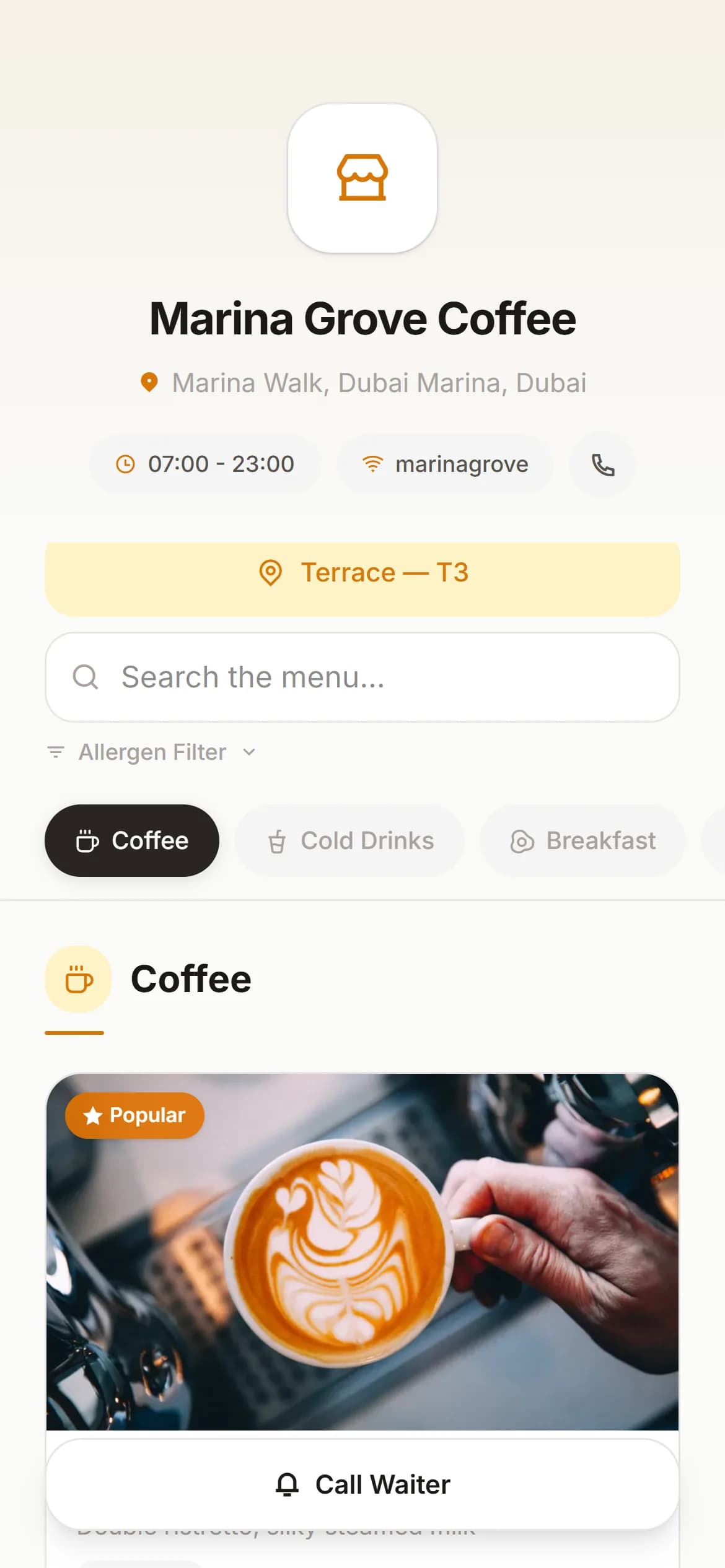
A menu on every table that is never out of date
A QR code per table opens your menu in the guest’s own browser. Change a price in the panel and the next guest who scans sees it. Free, with no end date.
- Photos, search and allergen filters
- Ten menu languages, right-to-left included
- Call a waiter or order from the table on the paid plan
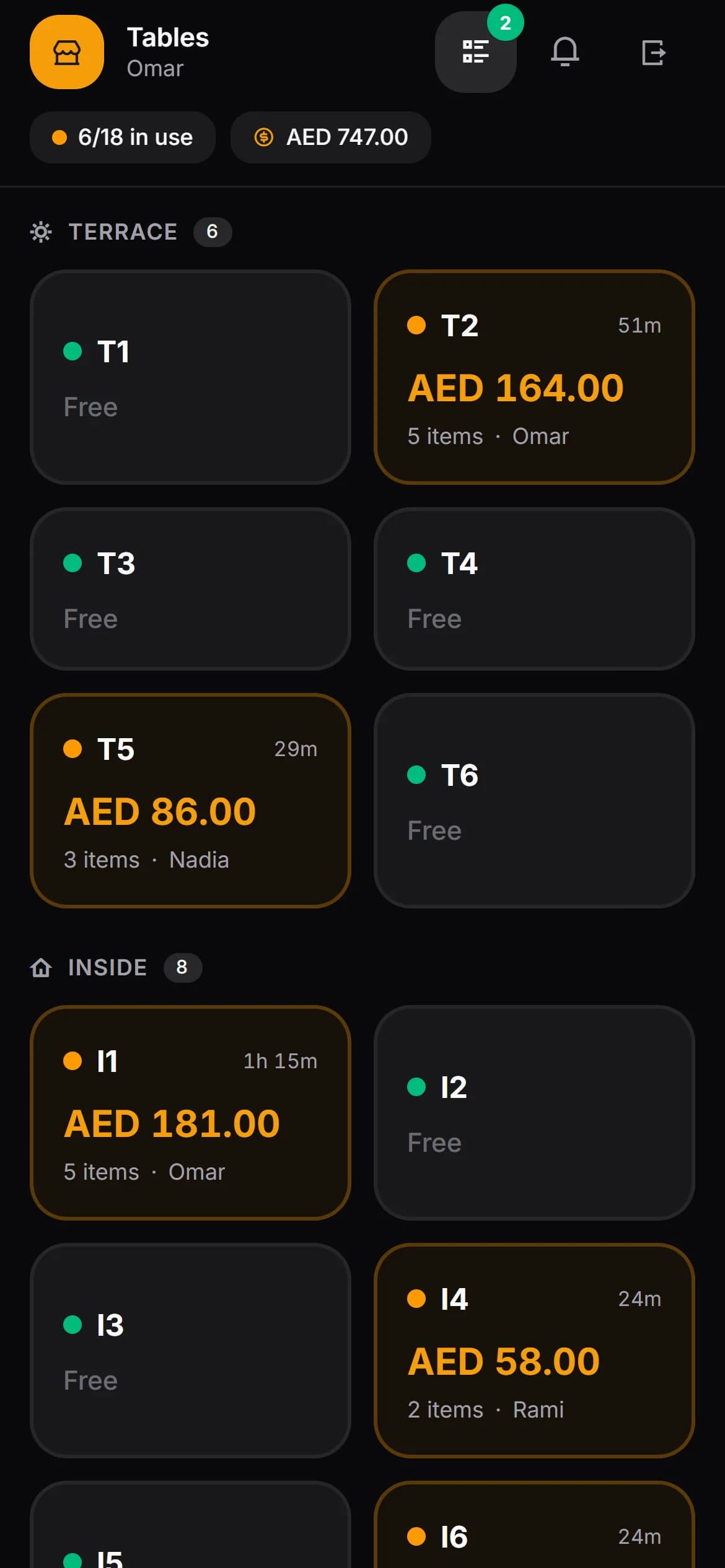
The terminal is already in their pocket
Waiters sign in with a six-digit PIN you approve and take the order standing at the table. Three screens — the floor, the order, the bill — and that is the whole app.
- Runs in the browser on any recent phone
- You approve every sign-in and can end any session
- Permissions checked on the server, not by hiding buttons
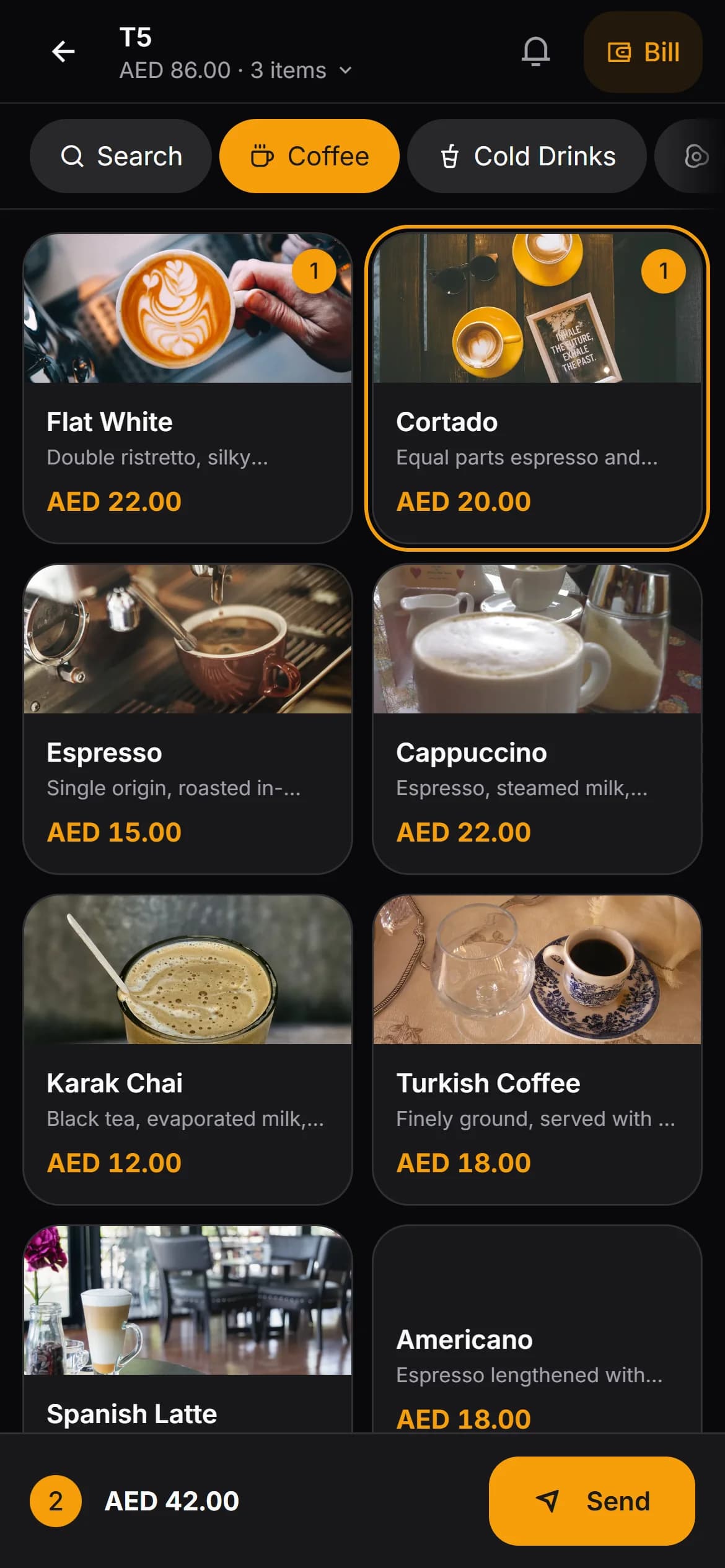
Taken at the table, never retyped
Categories, items, modifiers and the notes the kitchen will actually read. A second round joins the open bill; every void and price change carries a name.
- Modifier groups with their own prices and rules
- Four item states from waiting to served
- Voids with a reason, price overrides on the record
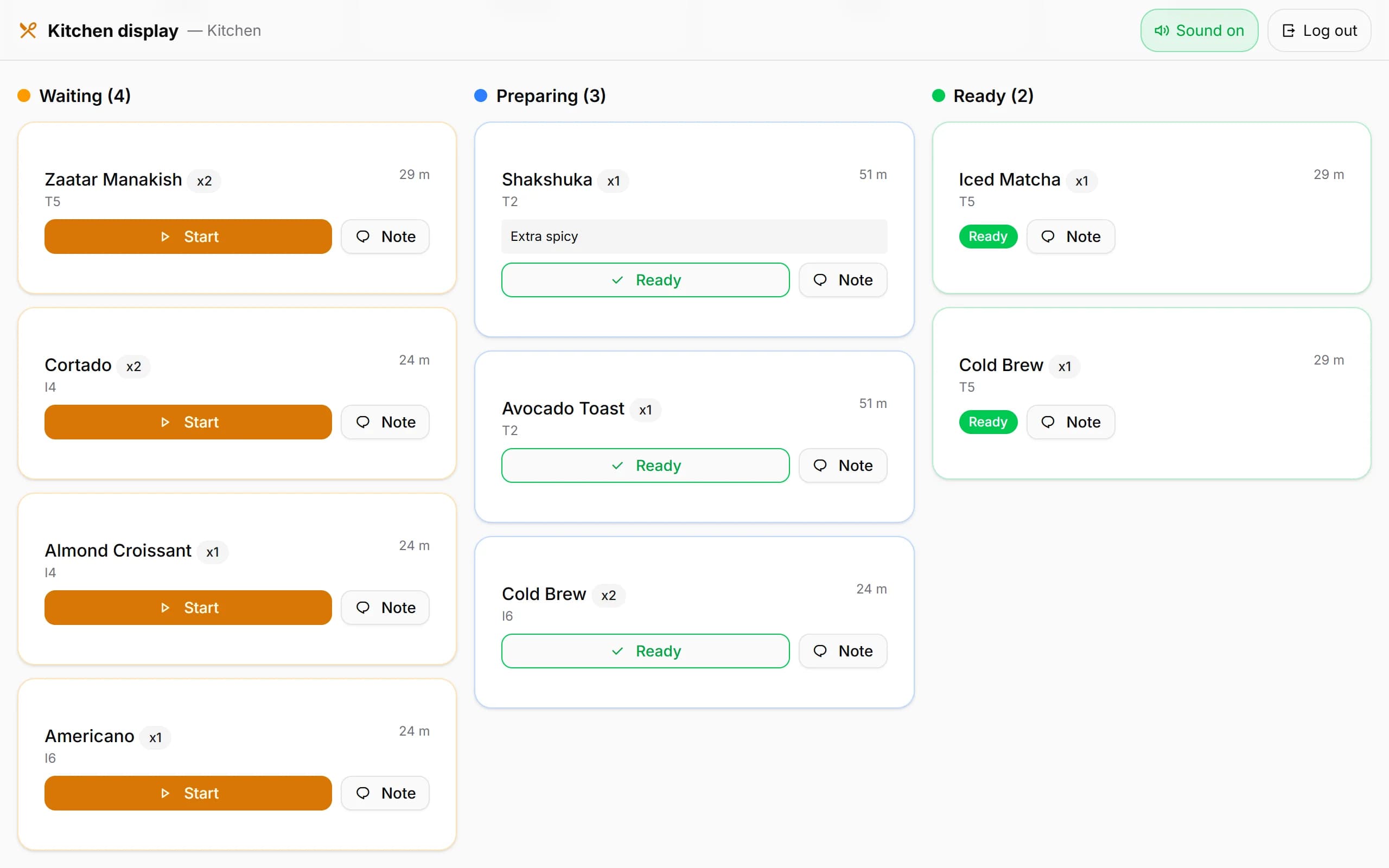
Any tablet becomes the kitchen screen
Tickets arrive the second they are sent, with the guest’s note. Waiting, preparing, ready — one tap each. A printed ticket is optional, for the sections where a screen will not survive.
- Its own login, and nothing else
- How long every ticket has been waiting
- An 80mm network printer if you want paper
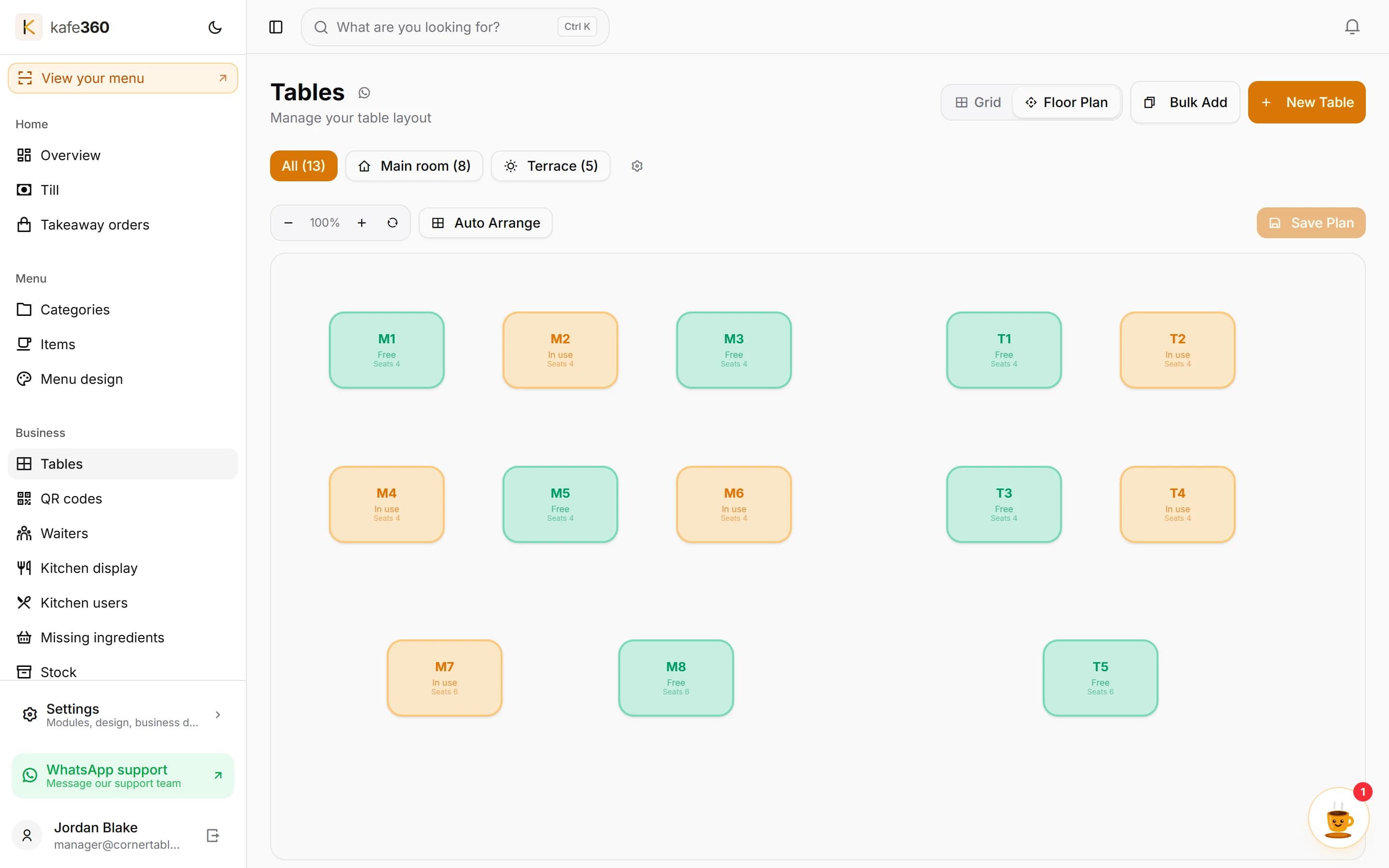
The whole room on one screen
Empty, occupied and waiting for the bill, by area or on a plan you lay out yourself. Move an order to another table or merge two tables, and see later how long people really sit.
- See which waiter is already on a table, live
- Move and merge from the bill screen, mid-service
- Average time at a table and turns per day
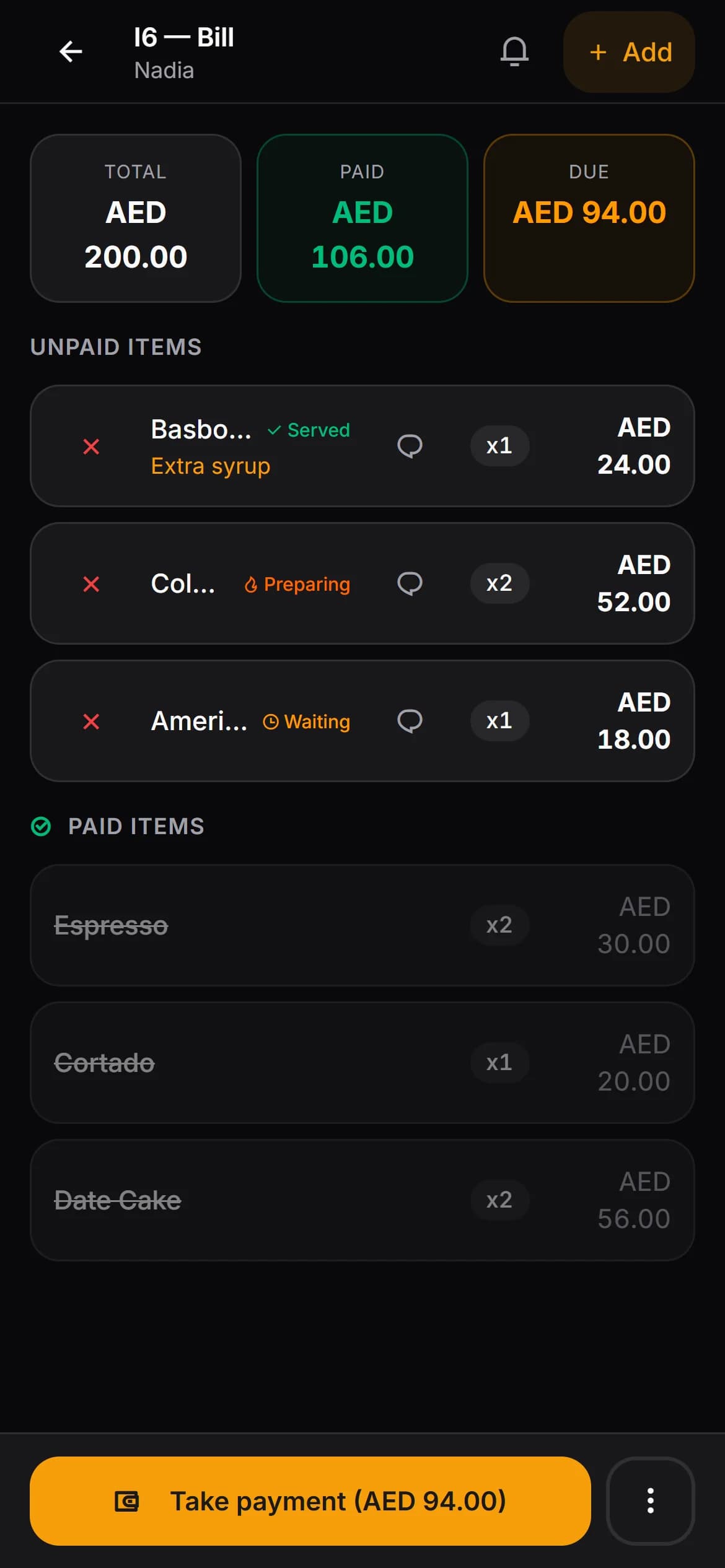
Six people, one bill, no napkin
Split by item or by amount, take cash or card, and the bill closes itself when the payments cover the total. Your own terminal takes the card; Kafe360 records it.
- Part-payments stay on the table as Due
- Change worked out for cash
- Cash and card side by side at the end of the night
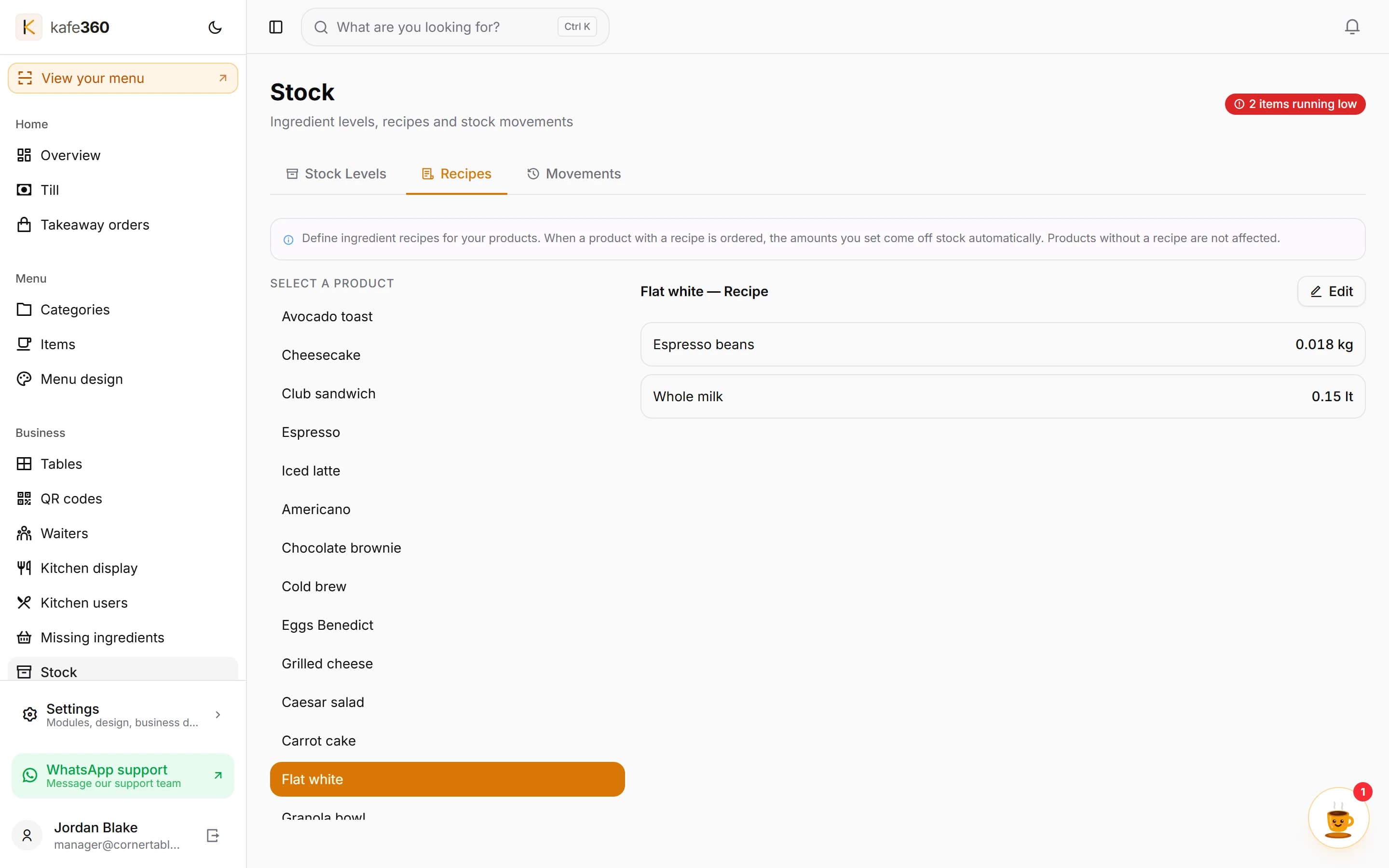
Your milk comes off the shelf when the latte is ordered
Write a recipe once and every order deducts the real litres and kilograms. You type deliveries, waste and the odd correction after a stocktake; the rest writes itself.
- Eight units, from kilogram to portion
- A minimum level and a Low badge per ingredient
- Every movement with a name and a time
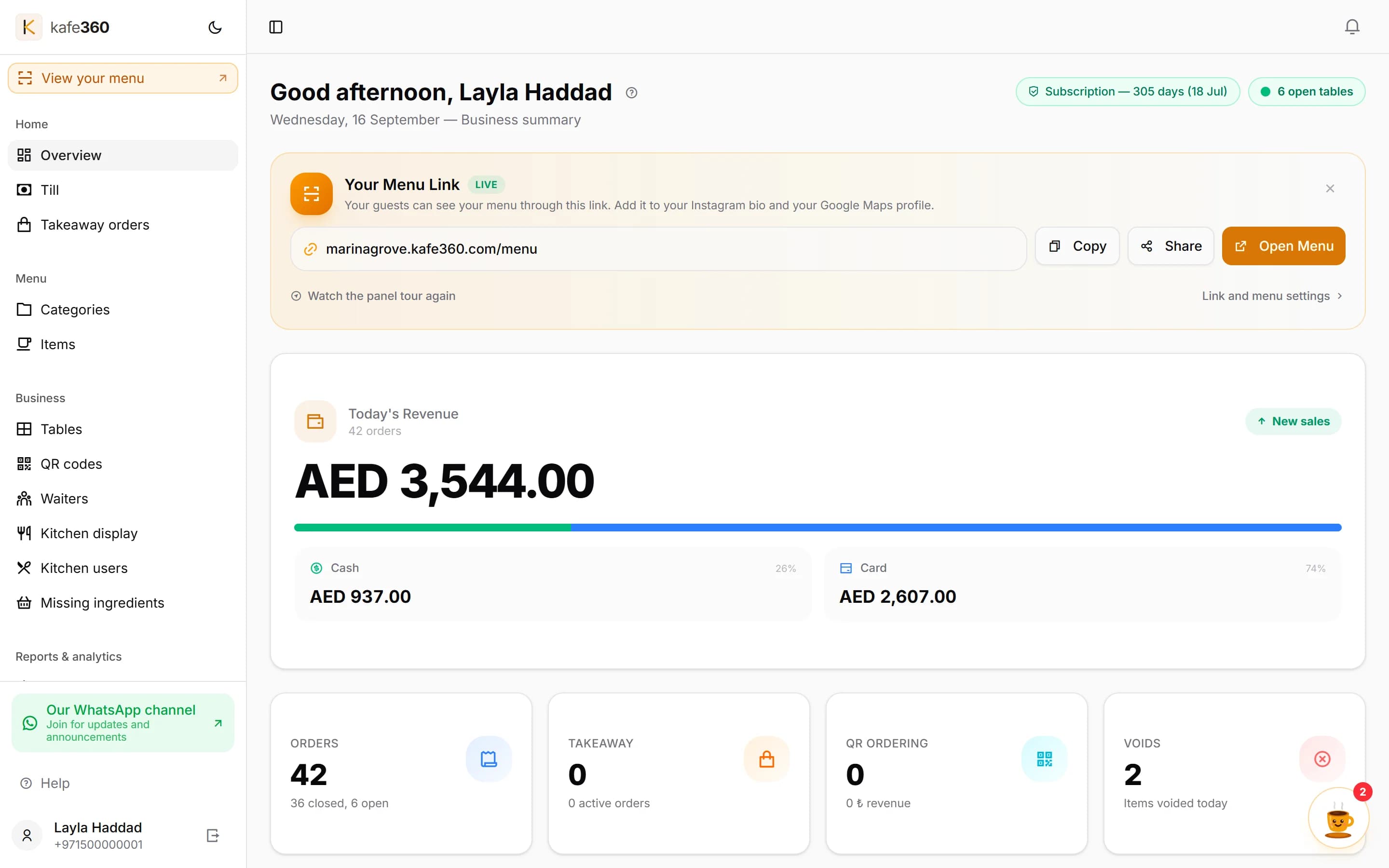
What sold, at what hour, on whose shift
Today’s takings as they happen, hourly sales, best and slowest sellers, waiter stats, voids and price changes. In your currency, on your clock, cut on your trading day.
- An end-of-day snapshot per day, kept for thirty
- Period comparison and table analytics
- A full CSV export of your data
And the parts that do not need a page of their own.
All of these are in the English panel today, switched on from Settings when you want them.
Takeaway orders
A separate board with numbered tickets and its own statuses. Off until you turn it on.
Till
Open tables, running totals and the bills that have been open too long, on the manager’s screen.
Expenses
Record what the venue spends, by category, alongside what it takes.
Staff shifts
Shift planning, leave tracking and a monthly staff summary.
Campaigns
Promotions you define in the panel and apply at the till.
Customer accounts
A running tab for regulars — what they owe, and every payment you take.
Bill history
Every closed bill, searchable, with its items and payments.
Table analytics
How long guests sit, turns per day and an hour-by-weekday heatmap.
Notifications
The panel’s own inbox for what needs your attention.
What Kafe360 does not do
We would rather you found these out now than in week three.
It does not take card payments.
Your own terminal does that and Kafe360 records it. We never see your guests' cards.
It is not a fiscal device.
It does not issue tax invoices or file anything with a tax office. It does not add sales tax on top of menu prices, so it works with tax-inclusive pricing only.
It does not pull in orders from delivery apps.
Orders from delivery platforms stay on the platform's own tablet.
Every feature page has its own What this does not do section.
The quickest way to judge it is to use it.
Thirty days, every feature, no card.