No sign-up, no card
Have a look around before you tell us anything
Two ways in. Open our shared demo café, which is already full of orders, and click wherever you like for an hour. Or start a 30-day trial and put your own menu on the screen instead.
The demo is one account that every visitor shares, running our Turkish sample café, so its panel is in Turkish. The button that starts it is the amber one, labelled Demo Oturumu Başlat.
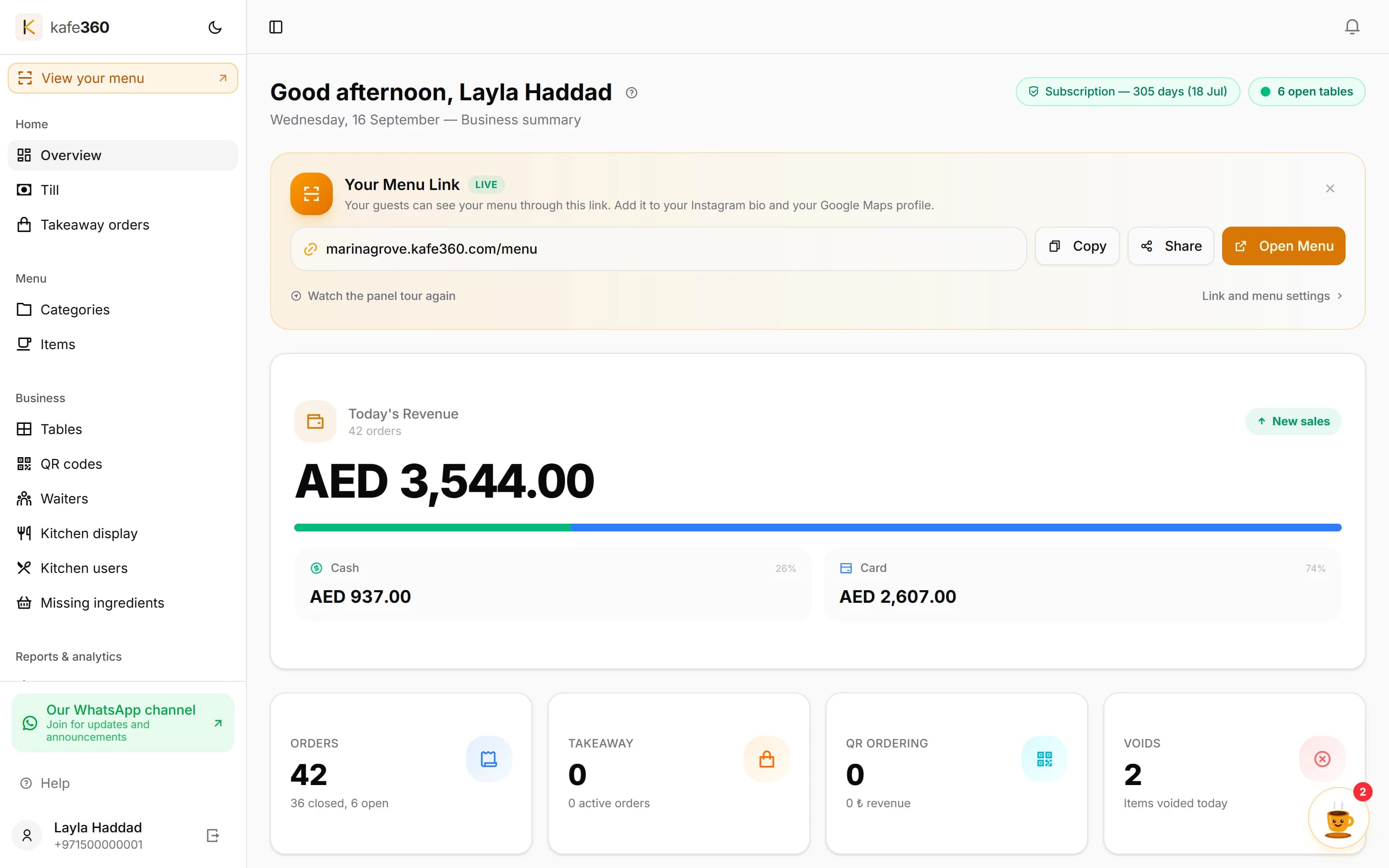
The demo opens on the manager panel, on a café that has been taking orders all day. This shot is of an English account — the shared demo café shows the same screen in Turkish.
Pick one
A shared showroom, or a venue of your own
The demo is quicker. The trial is the real thing. Neither one asks for a card.
The shared demo account
One click, no sign-up, one hour.
- Nothing to fill in and no card
- A café that already has a menu, tables and a pile of past orders behind its reports
- One account everyone shares, so treat it as a showroom
- Turkish sample café — Istanbul address, prices in lira, panel in Turkish
A 30-day trial of your own
Your venue, your menu, nobody else in it.
- Your own account, private to you
- English panel and prices in AED
- No card — you confirm your email address and you are in
- Keep everything you build if you stay
What there is to look at in the demo
You sign in as the manager of the café, so you see the side of the system an owner uses. Everything below is already populated — there is nothing to set up first.
The day at a glance
You land on the dashboard — takings so far, how many orders, how many tables are sitting open right now.
The menu behind the tills
Categories, items, prices and photos. Change a price and watch where it lands.
The floor
Tables grouped by area, each one showing whether it is open and what it owes.
An open bill
Open a table that is mid-service and look at the items, the notes on them and what has been paid.
Reports with real history
Sales by hour, by item and by waiter, plus an end-of-day report. The numbers come from orders that are already in there.
QR codes for the tables
See how a code is produced for a table and what the guest gets when they scan it.
The waiter app is not part of the demo. Waiters sign in with a PIN and a manager approves the device, so there is no open door into it. You can see those screens further down, and create your own waiters on a trial.
Before you click
It is a shop window, not a private sandbox
Plenty of companies call this a personal demo environment. Ours is not one, and we would rather say so than let you find out by typing something into it. Everyone who opens the demo signs into the same café as the same manager.
So keep real information out of it, and expect to find traces of whoever was in there before you. If you want a quiet room of your own, that is what the trial is for.
Get a venue of my own instead- One account, shared by every visitor
- Anything you type can be read by the next person in
- What you change stays changed — there is no nightly reset
- So no real guest names, staff names or numbers, please
- The session lasts one hour, then it simply ends
- Turkish sample café — Turkish panel, prices in lira
The English interface
What your own account looks like
These are photographs of the running product with the panel in English and amounts in AED — the shared demo café cannot show you this, because it is set up for Türkiye.
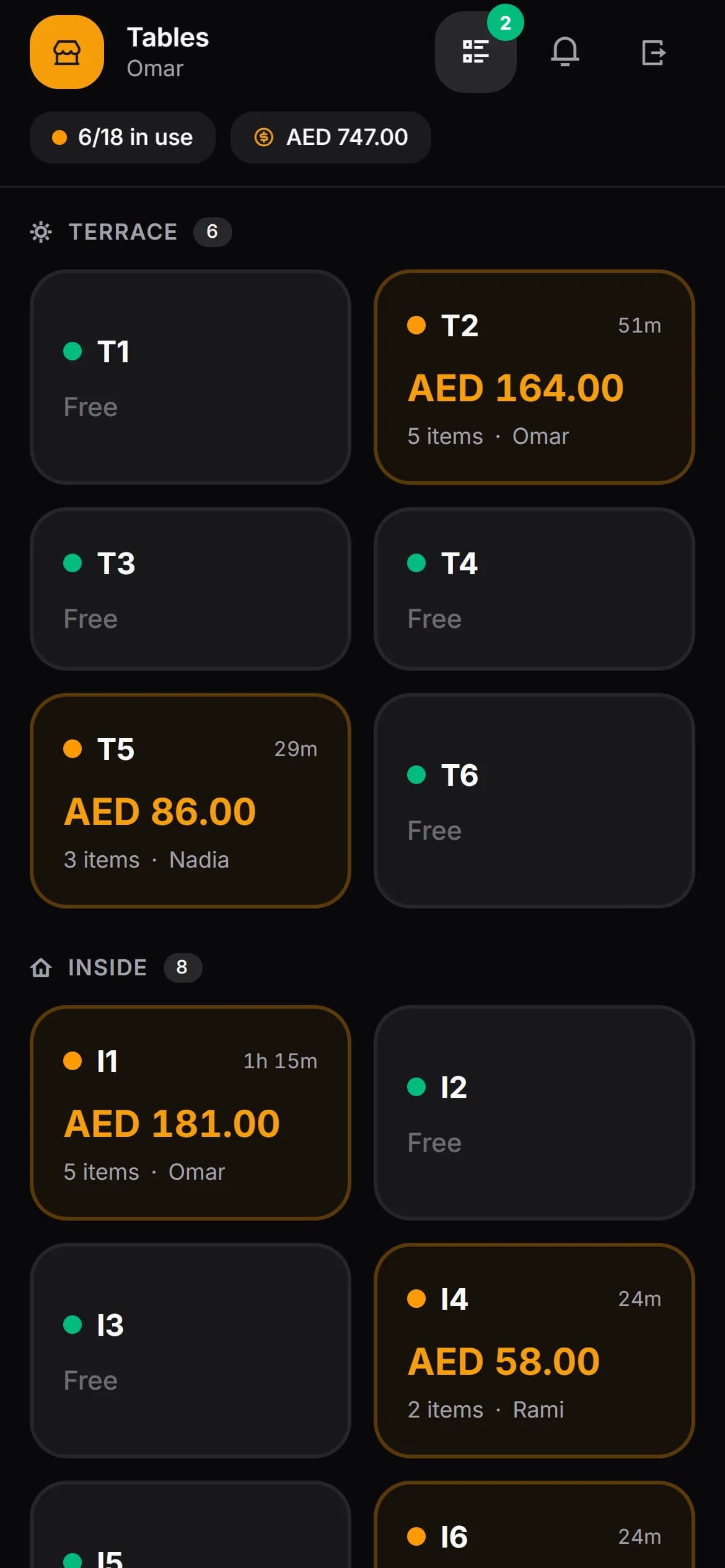
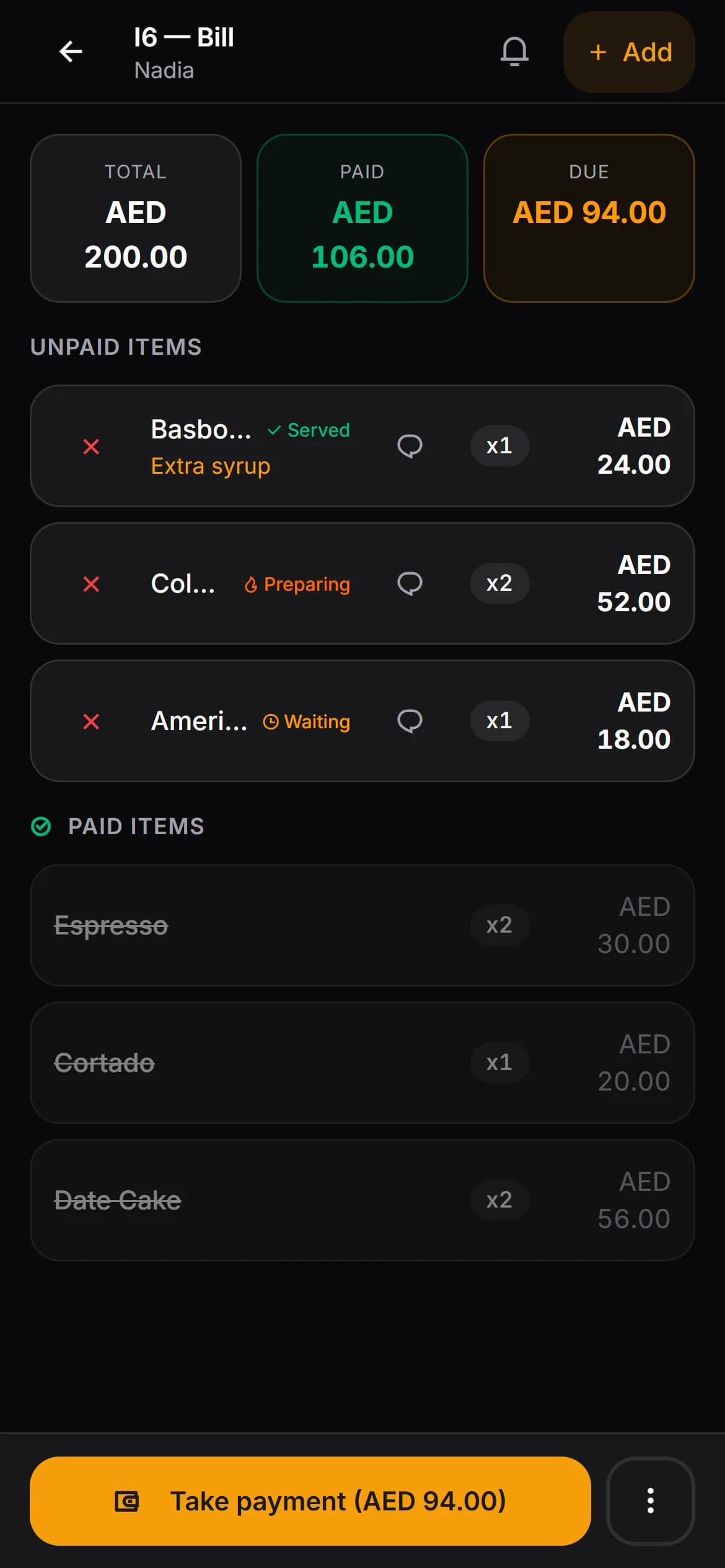
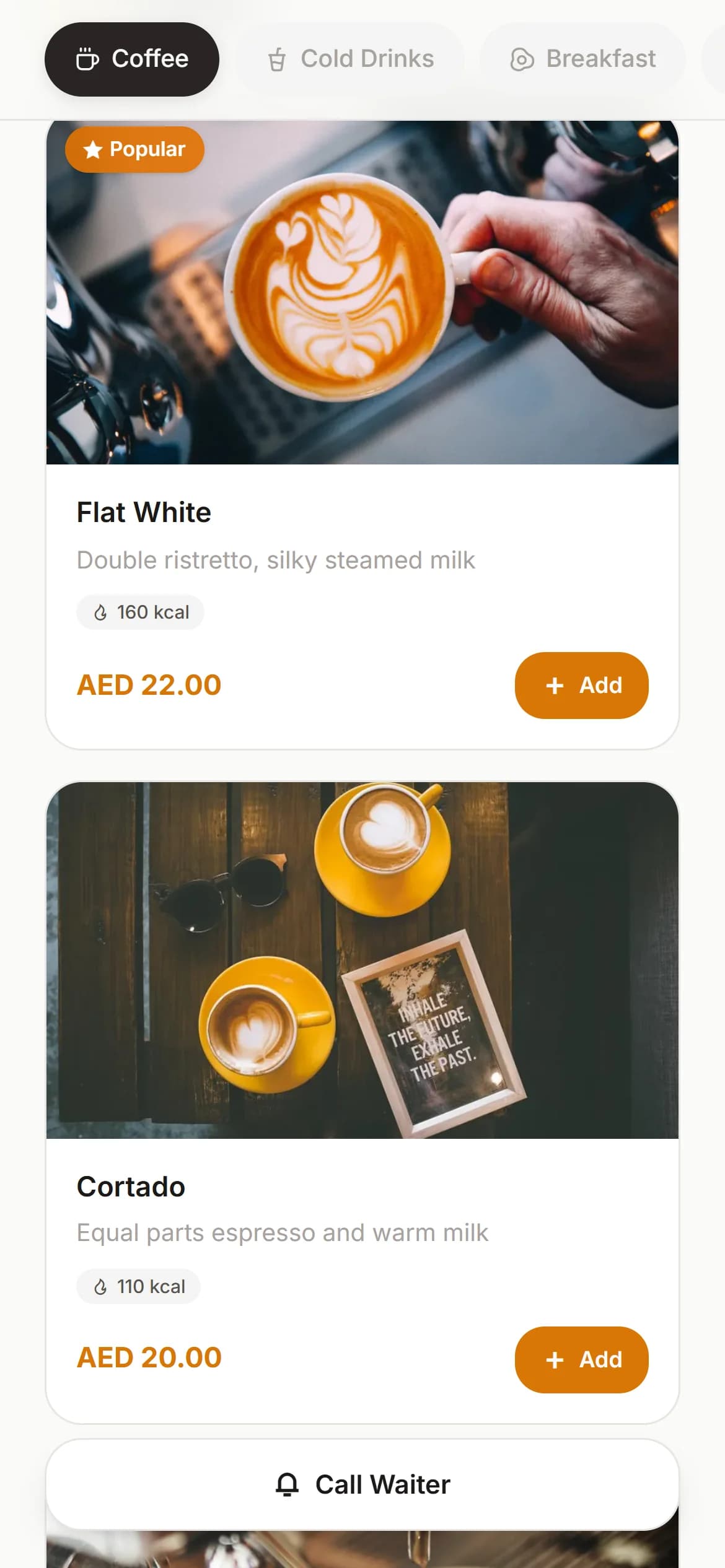
Real screens from the product, not mock-ups. The venue, the menu and the amounts in them are examples.
Questions people ask before clicking
- Do I have to sign up to see the demo?
- No. There is no form and no card. You open the demo page, press the button and you are inside a working café panel.
- How long does the demo last?
- One hour. After that the session ends and you can start another one.
- Is the demo account mine alone?
- No, and this is the part worth knowing before you start. Every visitor signs into the same demo café as the same manager. Whatever you type stays there, and the next visitor sees it. Please do not put anything real into it — no guest names, no staff names, no phone numbers, no prices you would rather a competitor did not read.
- Will what I enter be wiped afterwards?
- We are not going to promise you that, because there is no nightly reset running. Treat the demo as a shop window rather than a sandbox of your own. If you want somewhere private to experiment, start the 30-day trial instead — that account belongs to you.
- Is the demo in English?
- The demo café is our Turkish sample venue, so its panel is in Turkish and its prices are in lira. The panel language follows the venue, not the address bar, so an account set up for the UAE runs in English with AED. That is the interface in the screenshots on this page.
- Can I see the waiter app in the demo?
- Not from the demo account. Waiters sign in with their own PIN and a manager approves the device, so there is no open door into it. You can see those screens below, and on your own trial you create the waiter and the PIN yourself.
- Can I try it with my own menu?
- Yes, and that is the better test. The trial runs for 30 days, asks for no card, and gives you an empty venue to fill with your own categories, items and tables.
- What does it cost after the trial?
- One annual plan, nothing hidden. The pricing section on our home page explains how it works, and you can ask us anything before you commit.
Anything else, write to us at [email protected] or through the contact page.
The quickest way to judge it is on your own menu
Thirty days, no card, an account nobody else is standing in. Type in a handful of your own items and see how the evening service feels.