The menu on the table is never out of date
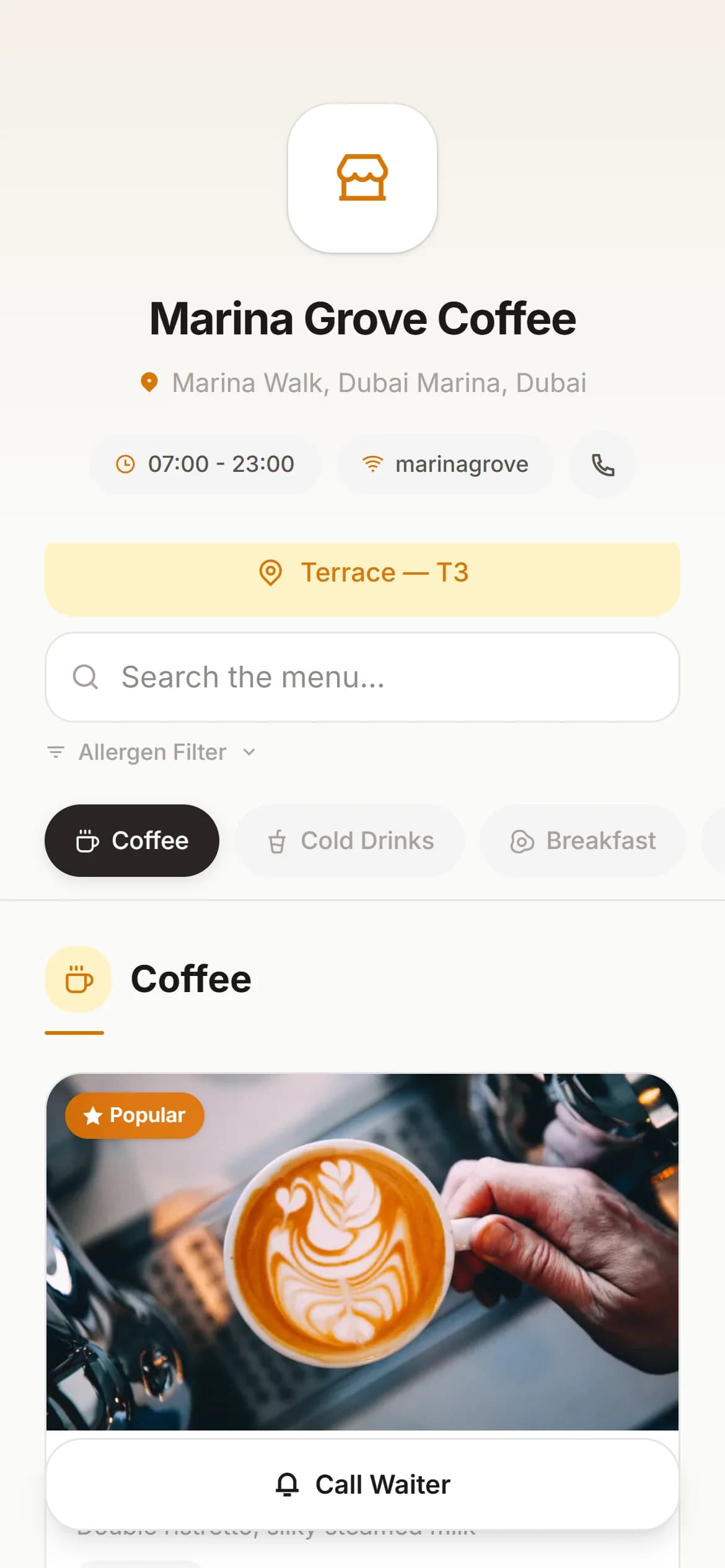
A QR code per table opens your menu in the guest’s own browser. Photos, allergen filters and ten languages including Arabic. You change a price at eleven in the morning and it is live before the next guest looks up from their phone.
Print it once, change the menu forever
The code on the table points at the table. What the table shows is up to you, and you can change it mid-service.
Generate the codes
One QR code per table, created in the panel. Download each as a PNG or send it straight to the printer.
Put them on the tables
Print them however you like — a sticker, a stand, the back of the table number.
The guest scans
The code opens your menu in the browser the phone already has. Nothing to download, no account to make.
You change it whenever
A price, a photo, a whole category. The next guest who scans sees the new version. The printed code never has to change.
On the guest’s phone
Built for someone holding a phone in one hand
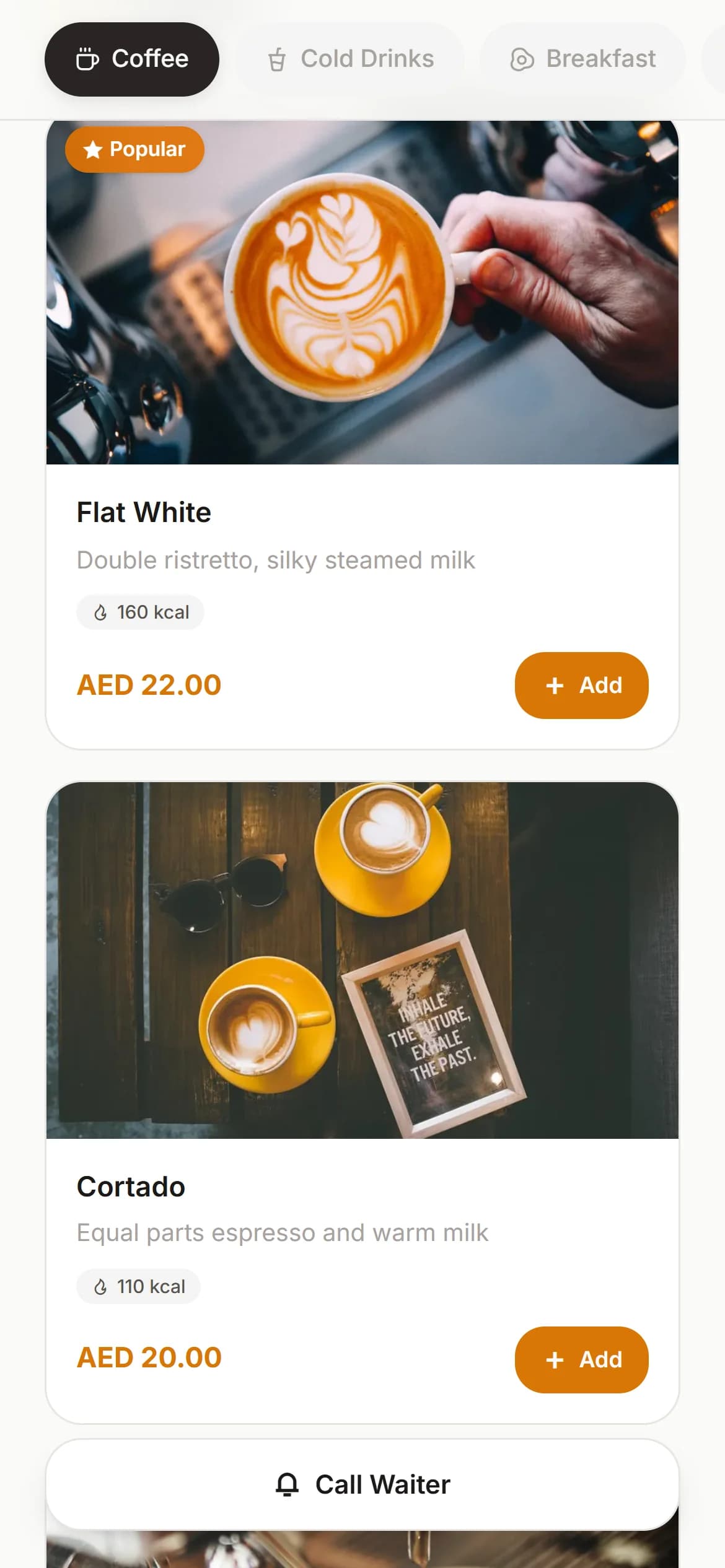
A menu a guest has to pinch and drag is a paper menu with extra steps. This one is a phone page first.
A photo on every item
Upload once. We resize it and convert it to WebP, so it loads on hotel wifi and does not eat the guest’s data.
Search and jump
A search box and a category strip that follows the guest down the page. Long menus stay usable on a small screen.
Allergen filters
Tag what contains nuts, gluten, dairy or egg. The guest ticks what they avoid and the menu hides it — no second conversation with the waiter.
Ten languages
Translate items into English, Arabic, Russian, German, French, Spanish, Chinese, Japanese, Korean or Turkish. The guest picks; the menu switches.
Tap a photo to enlarge it
A full-screen view of the plate. Useful for anything a description cannot really carry.
Your wifi password, one tap
Opening hours, a copy-the-wifi-password button, Instagram and a map link all sit in the menu header. They are the four things guests ask for anyway.
In your panel
What you can change, and how long it takes
Eleven themes
Light, dark, elegant, modern, forest, rose, ocean, sunset, mocha, mono and noir. Set your own logo, primary colour and accent on top.
Hide an item instantly
Sold out at eight in the evening? Switch it off. It disappears from the menu without deleting anything you will want back tomorrow.
Order the menu yourself
Drag categories and items into the order you want people to read them in, not the order you happened to type them.
A showcase mode
Turn it on and your menu is also readable from a plain link, without scanning anything — useful on Instagram, in a listing, or in a message to a guest asking what you serve.
Preview before the guests do
Open your own menu from the panel exactly as a guest at a table would see it.
Free up to 500 items
The free plan covers 500 items across 50 categories, with no end date. That is several times a normal café menu.
On the paid plan, if you want them
The menu can also take the order
Both of these are switches in your panel, off until you turn them on, and both need the paid plan. A free QR menu shows your menu and stops there — we would rather say so here than let you find out after signing up.
Call a waiter
The guest taps once. The call appears on every waiter’s phone with the table name, and whoever takes it marks it accepted so the others stop walking over. One call a minute per table, so a bored teenager cannot turn it into an alarm.
Order from the table
Guests build a basket, choose options like size or milk, add a note, and send it. It arrives as a real order on the table, and the guest can watch each item move from waiting to ready. You choose whether orders arrive accepted or wait for staff to confirm.
Questions people actually ask
- Do guests need to install anything?
- No. The QR code opens a web page in whatever browser is already on the phone. This matters more than it sounds — a guest asked to install an app usually just asks for the paper menu instead.
- Do I have to reprint the codes when the menu changes?
- Never. The printed code points at the table, not at the menu. You can rewrite the entire menu and the sticker on the table stays exactly as it is.
- How does the Arabic menu work?
- You add an Arabic name and description per item in the panel, and choose which languages your menu offers. A guest switches language inside the menu and everything you translated appears in that language. Anything you have not translated falls back to your base language rather than showing an empty line.
- Is scanning secure, or can someone reuse the link?
- Each scan creates a fresh server-side session that lasts an hour. The session, not the printed code, is what lets the phone call a waiter or place an order — so a link copied out of someone’s browser history stops working on its own.
- Can guests order from the menu themselves?
- Yes, on the paid plan, and only if you switch it on. Guests build a basket, send it, and the items land with your waiters and kitchen. You can choose whether they arrive accepted or wait for a member of staff to confirm them first.
- Can I use just the menu and nothing else?
- Yes. Plenty of venues run only the free QR menu and never take an order through us. Waiter calling and guest ordering are the parts that need the paid plan.
Your menu can be on the tables this afternoon
The long part is typing the menu in. Everything after that is a few clicks.