Preparation — one honest week of paper
The migration starts with a week of paper you dislike. Collect every pad, docket book and receipt roll the room actually uses, and record what a normal seven days produces. This is not box-ticking; it is the only honest inventory of what the business sells, how it charges for it, and where the current system quietly bends.
From that week, three lists. Every item sold, at its real price, including whatever rounding the staff actually apply. Every discount, comp and habit that lives in someone's head. And every report somebody compiles by hand on Sunday — the numbers the business already wants, badly enough to build them from paper.
Keep the third list where you can see it. Migrations that start from wanting one specific Sunday number tend to finish; migrations that start from a feature list tend to stall around item forty.
Staff training
The floor does not need the whole system; it needs two habits. Take the order where the guest sits, and settle the bill on the same screen. Train exactly those two, on the real menu, on the real devices, as a run-through of a real table — and let the staff who will use it most do the typing while you watch.
The manager's screen is a separate lesson for a separate audience — you. Set aside an hour for the reports alone, because the questions the old Sunday list used to answer must now be answerable in the new place. An afternoon spent learning where the day's takings live is the cheapest confidence the migration buys.
Give the staff a paper alias for the first week — the menu's names on one card, the two habits on the back. Training that fits in an apron pocket survives contact with a busy Friday; a manual does not.
The first live day
Pick the quietest day the business has — the Tuesday, never the Saturday. Quiet means mistakes are visible and cheap; busy means mistakes are neither. Open with the paper pads still on the counter, not hidden in a drawer, so the fallback is one arm's reach and nobody has to improvise an apology.
Expect two specific wobbles. Orders will be entered twice, once from habit and once from the new screen — agree in the morning that any doubled line is voided with a reason rather than investigated at the pass. And someone will try to pay in the old place; the till records the payment either way.
At close, do the day twice — once from the system, once the way paper did it. The two totals are the day's real exam result, and the gap between them is tomorrow's lesson list.
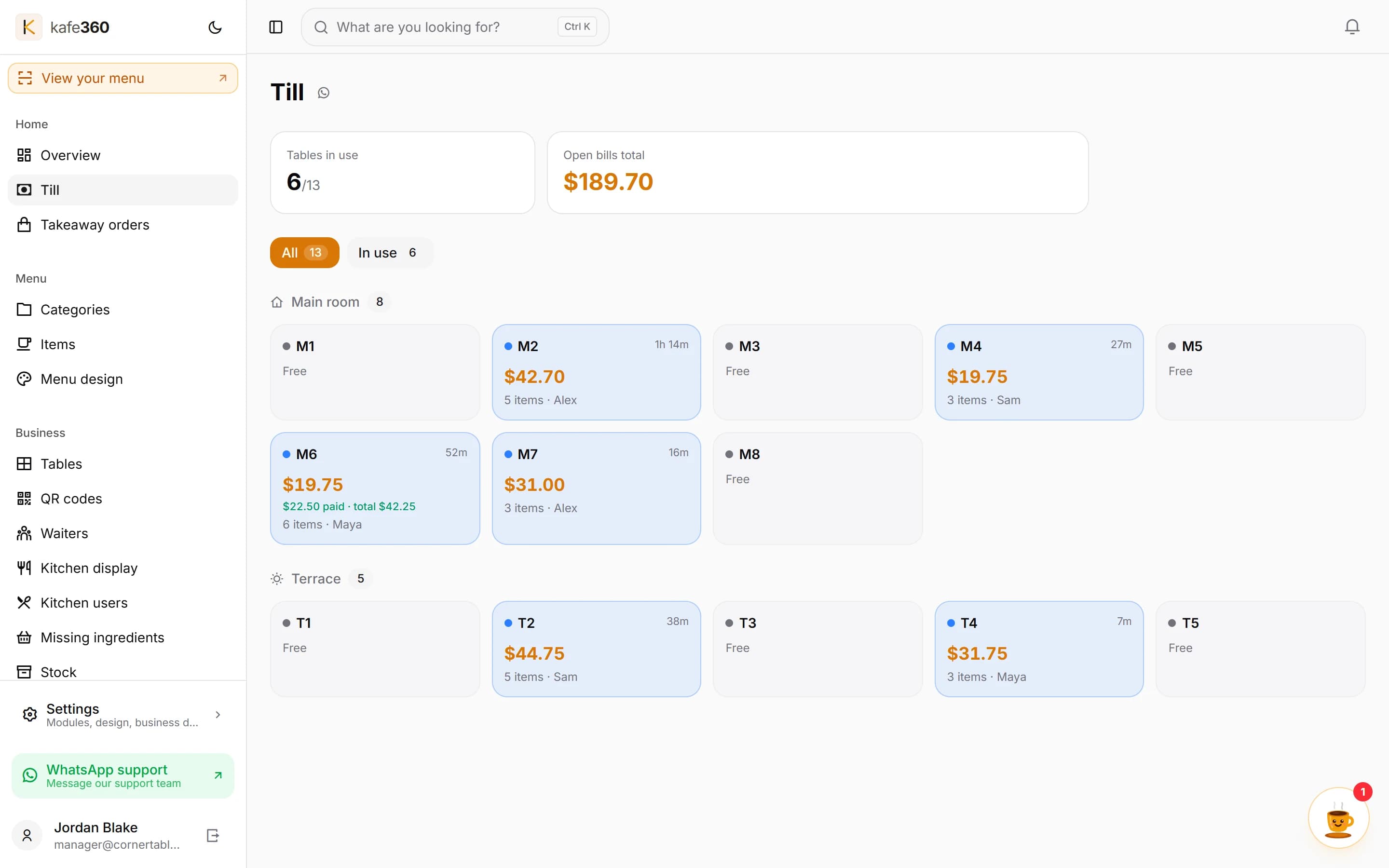
The parallel week
Run both systems for one full week, with paper as the shadow rather than the master — every order in the till, and the pads kept as the second record. Each night, compare the two totals and write the difference down. Small, explainable gaps — a missed void, an item nobody entered — are the system teaching you its edges. A gap that grows is a warning you want in week one, not month three.
Watch for the failures a shadow catches best: the item that never made it into the new menu, the price mistyped on a busy evening. Each is a five-minute fix while the week is running; each is a customer conversation if it survives the switch.
The week ends in a decision, and the numbers make it. If the nightly gaps have closed and the staff reach for the device before the pad, the paper becomes the fallback. If they have not, the paper stays master for one more week — and the gap list tells you exactly why.
The rollback plan
Write the switch-back rule before the first live day, in one sentence, on paper. Three nights where the till total and the shadow disagree by more than the cost of a round, or two staff shifts that end in paper by choice — either is the signal to run on paper while the cause is fixed. A rule written at the start is a plan; the same decision at midnight on a Friday is a panic.
Rollback is a pause, not a failure. Nothing from the week is lost — the menu is entered, the staff are trained, and the nightly gap list is a diagnosis in a drawer. Most migrations pick up again the following quiet week, and the second attempt usually sticks.
Kafe360's trial is thirty days on your own menu with no card and no hardware to buy — which is, deliberately, about the length of a migration done this carefully: a parallel week, a first busy Friday, and room to roll back once without losing the work.