A till system for food trucks
A truck is a small kitchen with a queue built into its business model, and no room for anything bolted down. This page says what runs well at a serving window, and what to test before trusting it.
Last updated
What a food truck actually needs from a till
The till has to earn its place in a space where nothing else is bolted down either — and it has to keep working when the pitch, the power and the signal all change in the same afternoon.
A till the size of the counter
There is no room for a fixed terminal and no appetite for one. The till should be whatever device is already riding in the cab — a phone, a tablet — and it should go to work in seconds.
The window queue, moved
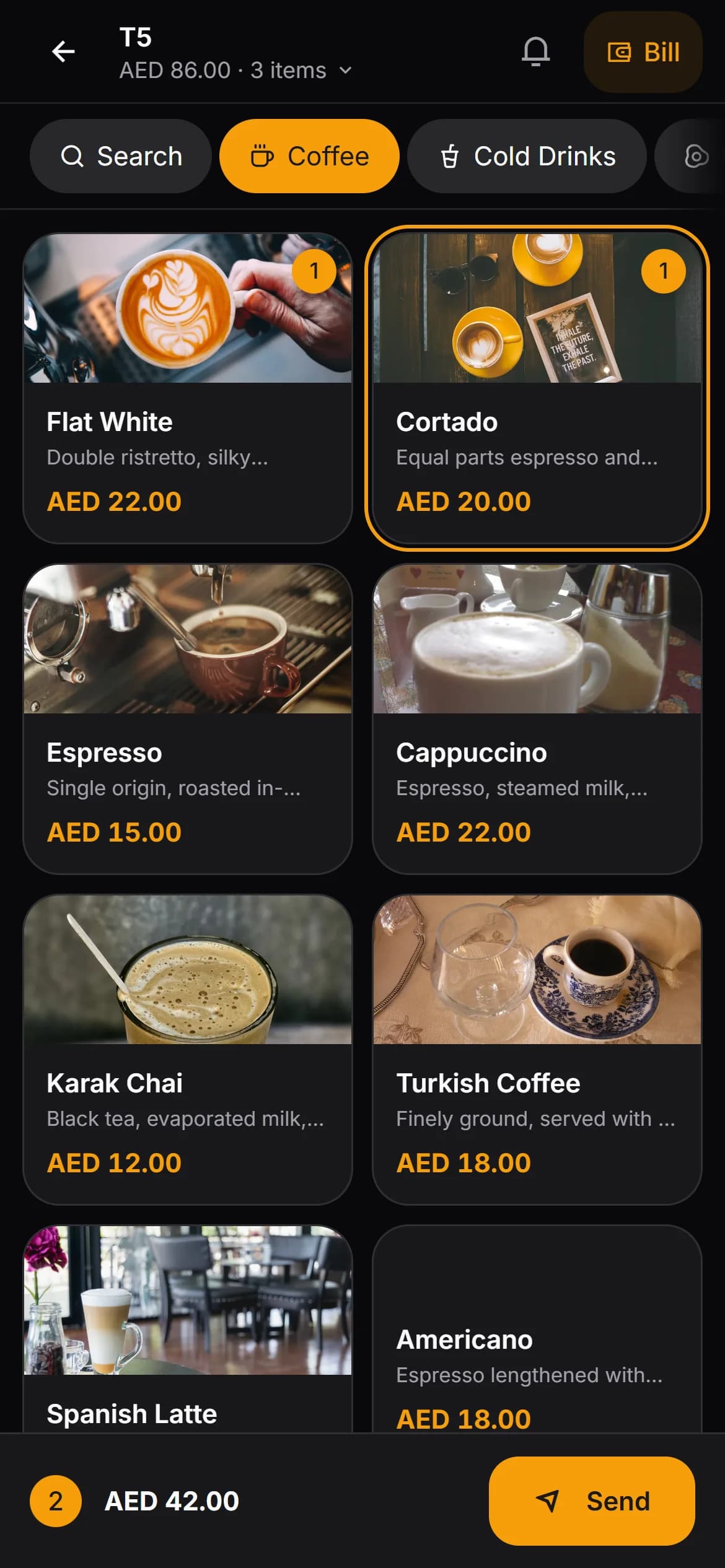
Order at the window in as few taps as the menu allows, with a search box for the long tail of it. The griddle half of the truck should hear the order without anyone shouting over the extractor.
Power, signal and a plan B
A truck moves between pitches, and the connection that was fine at the office park can be poor at the festival field. The system needs to be honest when the line drops, and the crew needs a habit for those minutes.
One shift, one number
At the end of the day the takings should match the drawer and the card reader without a spreadsheet in between — cash on one side, card on the other, and nothing counted twice.
Where Kafe360 fits
What honestly works at a window, each with the page that describes it properly.
The till is a browser on your own device
No terminal, nothing installed. The order screen opens in a browser on the phone in your pocket; staff sign in with a PIN and take the order where the queue stands.
See the featureThe griddle gets its own screen — from two people up
A second device, any cheap tablet, shows each item as it arrives, marks it started and ready, and tells the window when it is. In a one-person truck you are the kitchen and the screen is redundant; it earns its place the day the crew is two.
See the featureNumbered tickets for the window
Takeaway orders run on their own board — numbered tickets, a name on them if you want one, statuses from new to collected. It is off until you switch it on, and a truck that never wants it never sees it.
See the featureWhich pitch pays
Sales by the hour show what the lunch rush actually looks like at each site; the cash-and-card split at close should match the reader in your pocket without an argument.
See the featureREAD THIS PART TWICE
Where it does not
The two that catch most trucks out are the first two. Read them before the trial, not during a busy Saturday.
It needs the internet.
This is a cloud system and it does not pretend otherwise — when the line drops, a banner appears and orders cannot be sent until it returns. What has been typed stays on the phone, and resending the same basket cannot charge or cook anything twice. A truck on a patchy mobile signal should test its regular pitches during the trial month before relying on it.
It does not take card payments.
The reader stays yours — strap it to the window as you do today. The till records which sales were card and which were cash; the money itself never passes through it, and the day report splits the two for the close.
No delivery platform integration.
If the truck also lists on a delivery app, those orders stay on the platform's own tablet and are keyed in like a walk-in. Nothing is pulled in automatically, in any country this is sold in.
No screen for the customer to watch.
Order numbers exist — the takeaway board numbers its tickets — but they live on the crew's screens. There is no public display for a guest to watch their number come up; the window call stays human.
Questions food truck owners ask
Does it work with no signal?
No — it is a cloud system and it is honest about that. With no connection the order cannot be sent; what the screen has already typed stays put until the line returns, and resending the same basket cannot process it twice. Test the pitches you rely on during the trial.
What hardware do I need to buy?
None from us — the till and the kitchen screen are browsers on devices you already own. Printing is optional: a USB thermal receipt printed from the browser after payment, or a network printer driven through a small bridge program on a Windows computer, if the truck carries one.
Can guests order from a code on the side of the truck?
Codes are generated per table, and a serving window is not a table — the honest answer is that the takeaway board fits a window queue better than table codes do. A menu can still be shown from a plain link, on a board or in a bio, without any code at all.
We move between sites every week. Does that matter?
No. Nothing is installed at a site and nothing is tied to an address — the account, the menu and the reports travel with the login, on whatever connection the pitch of the day offers.
There are two of us — window and griddle. Does that help?
It is exactly the shape the ordering chain is for. The window takes the order on a phone, the griddle sees each item arrive on a screen and marks it ready, and the window's phone is told. In a one-person truck the same order is simply on your own screen.
Keep reading
GUIDE
Run a café without POS hardware
What a hardware-free café genuinely needs, the setup order that works, and the honest downsides of phones, browsers and your own card terminal.
Read the guideFEATURE
Waiter app
PIN sign-in, the order screen, the bill screen.
See the featureVENUE TYPE
A till system for bars and pubs
A till system for a bar or pub — one open bill per table, rounds added where the guests sit, a business day that ends when the night ends — and what it will not do.
See the pagePark it and run one real shift.
Thirty days on your own menu — no card, no hardware to buy.