What the code actually does
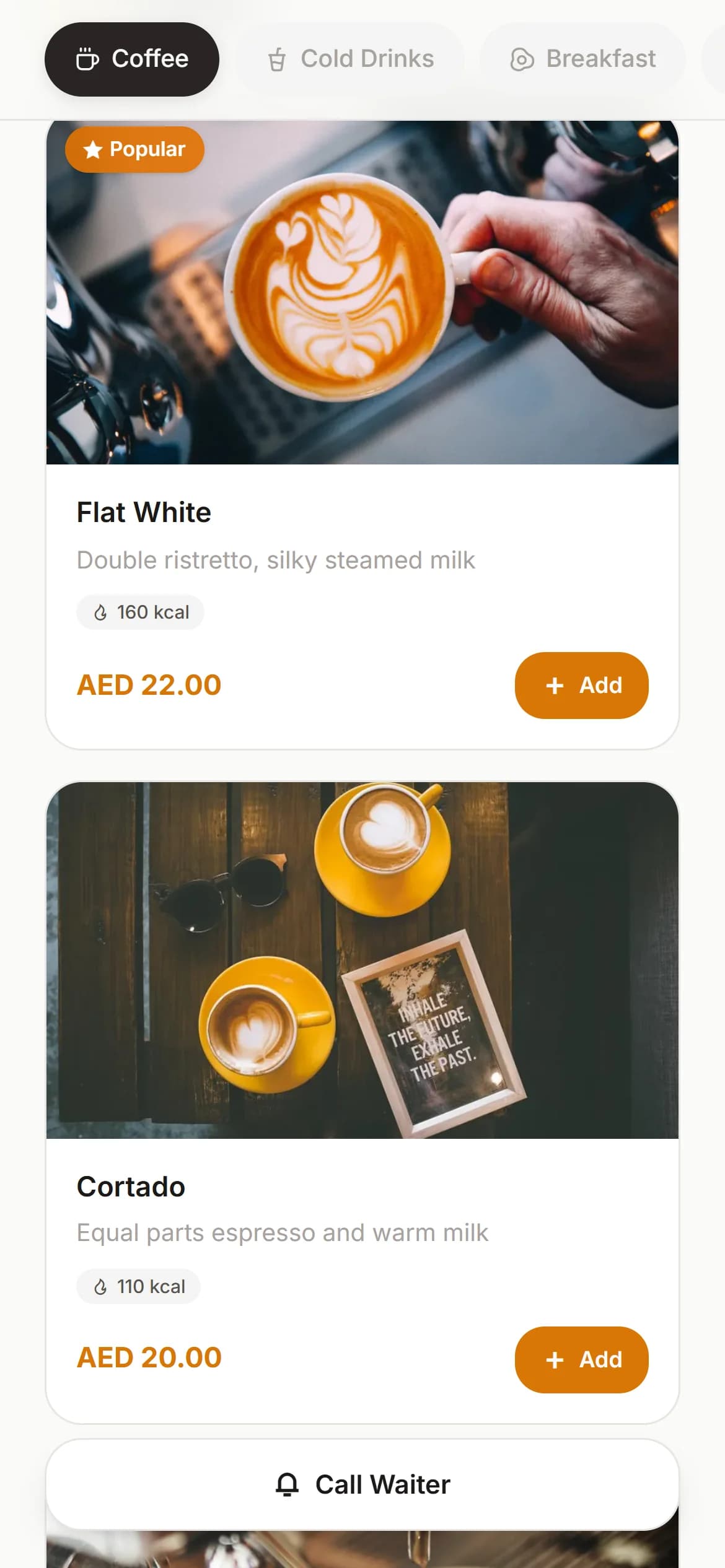
The code on the table is not the menu; it is the address. Scanning it with the phone's camera opens a web page — the menu, laid out for the screen it arrived on, with the prices, photos and wording the venue controls from behind the counter.
That last clause is the whole idea. The guest installs nothing, joins nothing, and is identified by nothing more than the table they sit at. The venue prints the code once and edits the menu behind it for as long as the code survives the table.
A PDF behind a code is not a digital menu
Plenty of venues stuck a QR code on a PDF of their printed menu and were told they had gone digital. It is a fair first step and a poor destination:
| PDF behind a code | Digital (web) menu | |
|---|---|---|
| Reading | Pinch and zoom on a page designed for paper | Text sized for the phone it is read on |
| Changing a price | Design it again, export it again, upload it again | Edit the item; the next scan sees the new price |
| Sold out this afternoon | Stays on the menu until the file is remade | Hide the item for the day, bring it back tomorrow |
| Other languages | A second file per language, and guessing which to offer | A language choice inside one menu |
| Allergen detail | Whatever fits on the page | Per-item detail and guest-side filters where the system offers them |
| Photos | Embedded and heavy, or absent | One per item, loaded as needed |
A PDF behind a code is still a printed menu — one with a longer arm. The difference begins when the menu answers back.
Static codes and dynamic ones
A static code embeds whatever it embeds — the content is frozen into the pattern itself. That is fine for a Wi-Fi password and wrong for a menu: changing anything means reprinting the code, and every table in the room holds last month's prices until someone climbs round doing it.
A dynamic code points at an address the venue controls. The print on the table never changes; what the address serves does — prices, photos, a dish hidden at four in the afternoon and back by six, a translation added for the summer season. The code is furniture; the menu is alive.
Kafe360's menu is the dynamic kind — the code printed on the table goes on pointing while the menu behind it is edited from the panel, it carries manual translations in ten languages, guests open it in a browser without installing anything, and a menu-only tier stays free for menus of 500 products or fewer.
What the guest actually does
From the guest's side, the whole apparatus is six steps, most of which they already know:
- 1Point the camera at the code — current phones read codes from the camera itself, with no scanner app and no app store.
- 2Land on that table's page — which is how the venue knows where they are sitting without asking.
- 3Read the menu grouped the way the venue groups it, and open an item for its photo, description and options.
- 4Filter by allergen where the menu offers it, and switch language where a translation exists.
- 5Call the waiter from the page where that is offered — a button instead of a raised hand.
- 6Order from the table where the venue allows it — in most setups the order waits at the till for a human nod rather than firing straight to the kitchen.
That last step is a choice, not a stage of evolution. View-only menus and ordering menus are both complete products: a venue with strong floor staff often keeps ordering in human hands and still takes everything else the code carries.
Languages and allergen detail
Two features do quiet work in tourist towns and allergy-conscious rooms alike. A multi-language menu is not a machine translation of the week — the honest versions are translated by hand, dish by dish, and stay right until the dish itself changes. Anything automatic should be read as a draft nobody proofread.
Allergen detail works from the other end: the venue records what each item contains, and the guest filters the menu by what they cannot have. It is only ever as good as the recording — an honest menu says plainly what it does not know.
Why a few printed menus should stay
Removing the printed menu entirely is where venues overreach. Some guests have no smartphone, or one with a flat battery; some will not scan on principle; some are simply better served by paper. A QR-only room tells those people their custom is conditional.
The workable middle is a printed fallback in small numbers — a few laminated menus per section, offered rather than rationed. They cost little, they rescue the odd table every day, and they double as the backup for the afternoon the connection misbehaves.
The mistakes venues make with the code
The code itself is where good menus go to die. The recurring mistakes:
- Printing it small to fit the tent card — a code the camera has to hunt for is a code half the room gives up on.
- Laminating it glossy — glare defeats cameras that would have read a matte print in the same light.
- Placing it where the light does not fall — mood lighting and cameras disagree about how much is enough.
- One code for the whole room instead of one per table — it works, and it throws away the table's identity, which is the quiet half of the trick.
- A slow page behind a fast code — test the menu on an ordinary phone on mobile data, not on the venue's own Wi-Fi at eleven in the morning.